
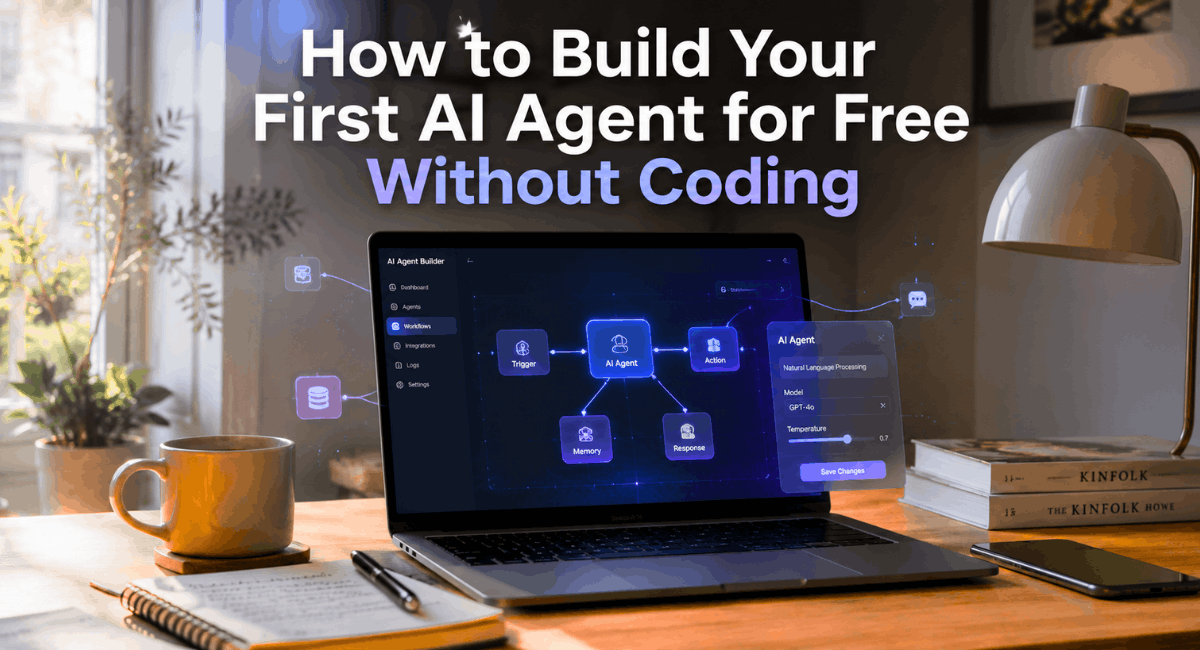
Overview
I still remember the first time I tried to build an AI agent. I assumed I’d need to learn Python, wrestle with APIs, and spend a weekend debugging code that refused to run. That’s what stopped me for months.
Turns out, none of that is true anymore. If you’re wondering how to build your first AI agent for free without coding, the honest answer is: you can do it this afternoon, using nothing but a browser and a free account.
By 2026, no-code AI agent builders have gotten so good that dragging a few boxes around a screen gets you further than most beginner Python scripts did two years ago.
I’ve tested a dozen of these platforms while helping clients automate their support, research, and content workflows, and in this guide I’m sharing exactly what worked, what didn’t, and what I’d do differently if I were starting today.
Why this guide is different
Most tutorials online are written by people who skimmed a landing page once. This one isn’t. I’ve actually built agents in Botpress, Flowise, Langflow, and Lindy, broken things, fixed them, and rebuilt them. You’re getting the shortcuts I wish someone had given me earlier, plus the mistakes worth skipping entirely.
Who should read this guide
This guide is for complete beginners, students, freelancers, small business owners, creators, and marketers who have zero coding experience but want a working AI agent without hiring a developer. If you can use a spreadsheet, you can follow along here.
Key Takeaways
The biggest beginner mistakes are avoidable if you know what to watch for.
You genuinely don’t need to code to build a working AI agent in 2026.
Free plans on tools like Botpress, Flowise, and Google Gemini AI Studio are generous enough for a first project.
The whole process — from idea to a live agent — usually takes under an hour once you know the steps.
What is an AI Agent?
An AI agent is different from a basic chatbot, even though people use the terms loosely. A chatbot mostly replies to messages.
An AI agent can think through a goal, use tools, pull information from a knowledge base, and take actions on its own — like sending an email, updating a spreadsheet, or searching the web — without you manually triggering every step.
Think of it this way: a chatbot answers questions. An autonomous AI agent gets things done.
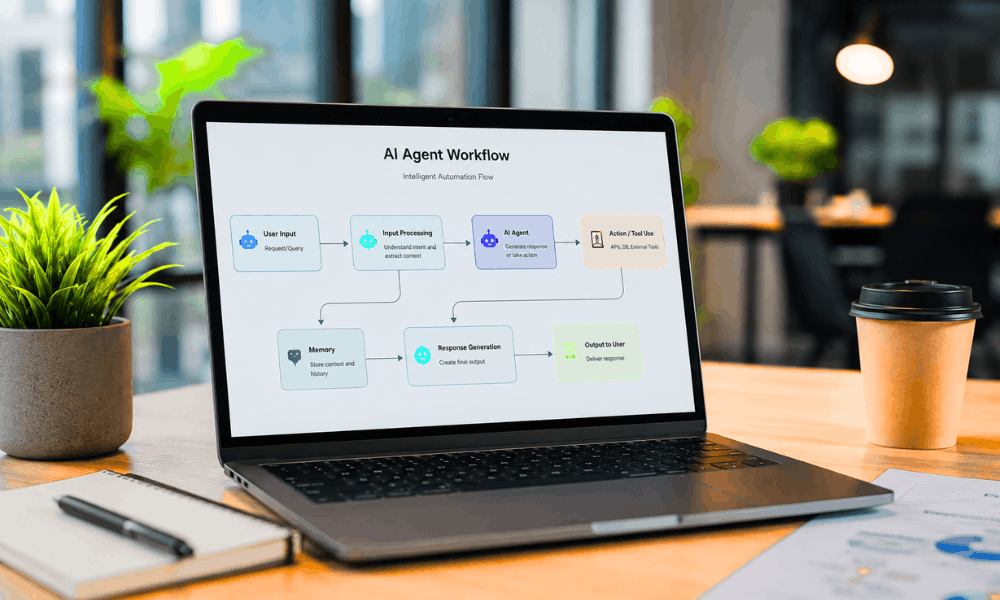
AI Agent vs Chatbot
A chatbot follows a fairly fixed script or answers from a single knowledge source.
An AI agent, on the other hand, combines an LLM (like OpenAI, Claude, or Gemini) with memory, tools, and trigger-and-action logic, so it can make small decisions along the way.
In practice, that means a chatbot might tell a customer your refund policy, while an AI agent could actually check the order status and process the refund.
How AI Agents Work
Under the hood, most AI agents rely on an LLM integration for reasoning, a knowledge base for context (often using RAG, or retrieval-augmented generation), and a workflow layer that defines what happens when something triggers the agent — a new email, a form submission, a chat message.
The no-code platforms in this guide let you set all of this up visually, with a drag-and-drop workflow builder instead of writing backend code.
Benefits of AI Agents
From my own experience, the biggest win isn’t novelty — it’s time. A well-built agent can handle repetitive questions, qualify leads, summarize documents, or draft social posts while you focus on higher-value work.
Small businesses especially benefit here, since hiring a developer for a simple workflow rarely makes financial sense.
Best Free No-Code AI Agent Builders in 2026
I tested several no-code AI builders before recommending these, and I’m intentionally leaving out tools that looked good on paper but felt clunky the moment I tried to actually finish a project. Here’s what’s genuinely worth your time right now.
| Platform | Best For | Free Plan | Difficulty | Recommendation |
|---|---|---|---|---|
| Botpress | Customer support agents | Yes, generous free tier | Easy | Great first platform |
| Flowise AI | Visual LLM workflows | Yes, open-source, self-host free | Medium | Best for tinkerers |
| Langflow AI | RAG and knowledge-base agents | Yes, open-source | Medium | Good for research agents |
| Relevance AI | Multi-step business agents | Yes, limited free tier | Medium | Good once you’re comfortable |
| Lindy AI | Personal assistant-style agents | Yes, free starter plan | Easy | Best for email/calendar tasks |
| Zapier AI Agents | Connecting agents to existing apps | Limited free tier | Easy | Best for automation-heavy users |
| Google Gemini AI Studio | Prompt-based agent prototyping | Yes, free | Easy | Best for absolute beginners |
| n8n | Complex automation workflows | Yes, self-host free | Medium-Hard | Best once you outgrow simple tools |
A quick word on each platform
Botpress is where I’d point most total beginners. The visual flow builder is intuitive, and the free plan is enough to build and test a real support agent.
Flowise AI and Langflow AI are both open-source and share a similar drag-and-drop philosophy. They’re a little more technical-feeling, but nothing you can’t handle without writing code — you’re mostly connecting nodes.
Relevance AI and Lindy AI lean toward business use cases, like lead qualification or inbox management, and both offer AI agent templates to speed things up.
Zapier AI Agents and n8n shine when your agent needs to talk to tools you already use — Gmail, Slack, Notion, and hundreds of others.
Google Gemini AI Studio deserves a special mention. It’s free, backed by Google, and a genuinely easy place to prototype an agent’s behavior before moving it into a full builder.
Pro Tip: If you don’t know how to get started, choose either Botpress or Google’s Gemini AI Studio. They are quite tolerant for a beginner, and you won’t exhaust your free tier credits trying to learn the basics.
What Do You Need Before Getting Started?
Before you jump in, let’s talk about what’s actually on your desk when you sit down to do this.
Good news first: no programming required. That part is real, not a marketing line.
But you do need a small setup ready, or you’ll be pausing halfway through, hunting for a password reset link like I did the first time.
Here’s what I keep ready every time I start a new project, and it’s basically the same checklist I’d hand a friend before their first attempt at this.
Free Accounts Needed
- A free account on whichever builder you pick — I usually go with Botpress or Flowise first.
- API keys, which will either be free, and this is where most newbies fall into trouble, from either Claude API, Gemini API, or OpenAI.
- A working email you actually check, since verification links love to hide in spam folders.
Getting the API key sorted out is honestly the most annoying part. Not hard. Just a little fiddly the first time. Once it’s done though, you won’t touch it again for months.
Optional Tools
- Something for your knowledge base — a PDF, a website link, or a Google Doc works fine.
- A free Zapier or n8n account, only if you’re planning to connect the agent to other apps down the line.
- A plain notes app or even paper, where you write down what you want the agent to actually do.
That last one sounds unnecessary until you skip it. I skipped it once and rebuilt the same flow twice because I kept changing my mind mid-way.
Warning: Do not enter your API key in any public channel, document, or location where anyone else could potentially access it. Your API key is equivalent to a password in all ways that matter.
Step by Step Guide: How to Build Your First AI Agent for Free Without Coding
Okay, this is the part you actually opened this article for. Let me walk you through it the same way I’d explain it to a friend on a call, screen-share and all.
I’m not going to rush this. Every step here is something I’ve done more than once, usually with a coffee going cold next to my laptop.
Step 1: Choose Your Platform
This is where a lot of people freeze up, so don’t overthink it. If you want your first project to feel like a real no code AI agent builder free experience, start with Botpress. The interface is friendly, and it doesn’t punish you for not knowing what half the buttons do yet.
If you’d rather see the logic laid out more visually, Flowise is the better pick. It feels a bit more like connecting puzzle pieces than filling out forms.
Screenshot suggestion: dashboard view right after signup, showing the “Create New Agent” button.
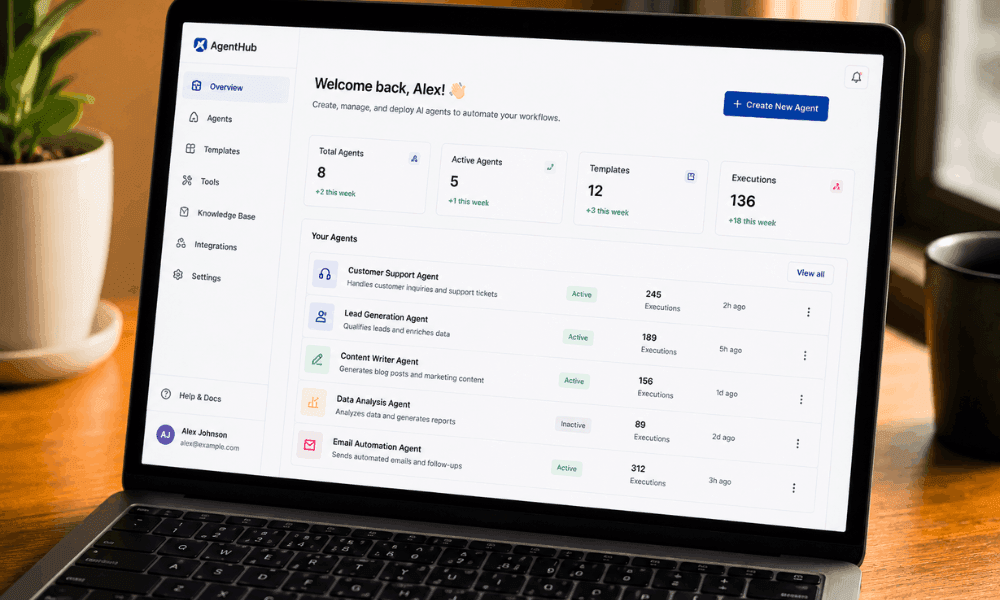
Sign up, confirm your email, and open the dashboard. Honestly, that’s the whole step. Don’t add extra steps that aren’t there.
One mistake I made early on was picking a tool that felt “powerful” before I understood what I even needed. Save the fancy platform for project two.
Step 2: Define Your Goal and Write the System Prompt
Before you touch a single node or button, grab a notepad and write one sentence describing what this agent should actually do.
Something like: “Answer customer questions about our shipping times and return policy.”
That sentence becomes your system prompt, and it’s genuinely the most important thing in this whole process. Not the platform. Not the design. The prompt.
This is prompt engineering in its simplest form — tell the agent who it is, how it should sound, and what topics it should stay away from. I’ve seen beginners spend hours tweaking settings when the real fix was just rewriting three lines of instructions.
Keep it boring and specific. Vague prompts give you vague answers, every single time.
Step 3: Connect a Knowledge Base
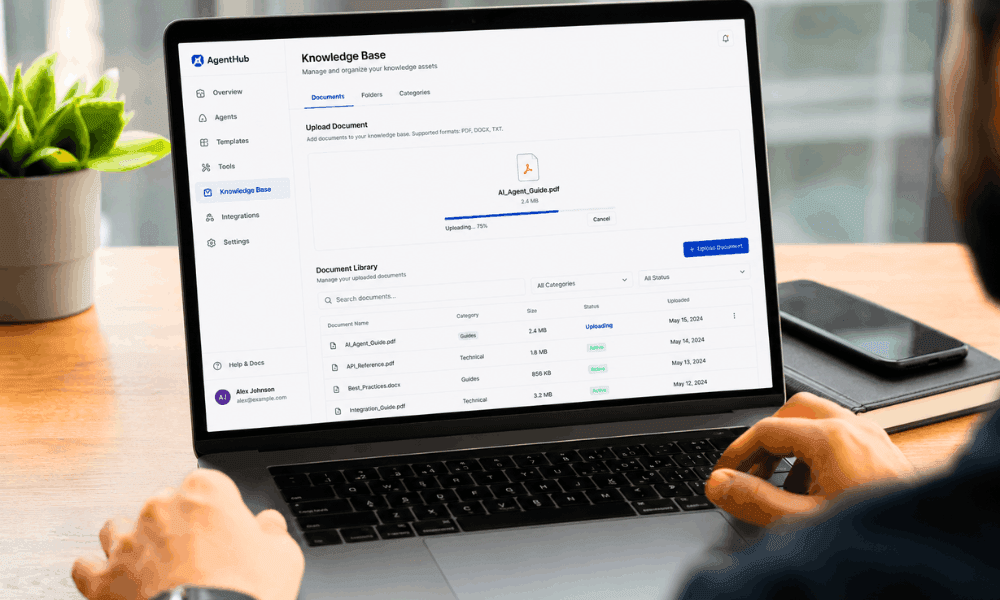
Now give your agent something real to work from. Most platforms let you upload a PDF, paste a website URL, or link a Google Docs file.
This is your knowledge base, and it’s what stops the agent from making things up when it doesn’t know an answer.
What worked for me, after a few messy attempts, was uploading one clean, well-organized PDF instead of scattering five random files at it. The agent pulls relevant pieces from whatever you give it, so cleaner input really does mean sharper answers.
Website connections are handy too, especially if your FAQ page already has most of what you need written out.
Step 4: Set Up Trigger and Action Logic
Here’s where it stops being a chatbot and starts being an actual agent.
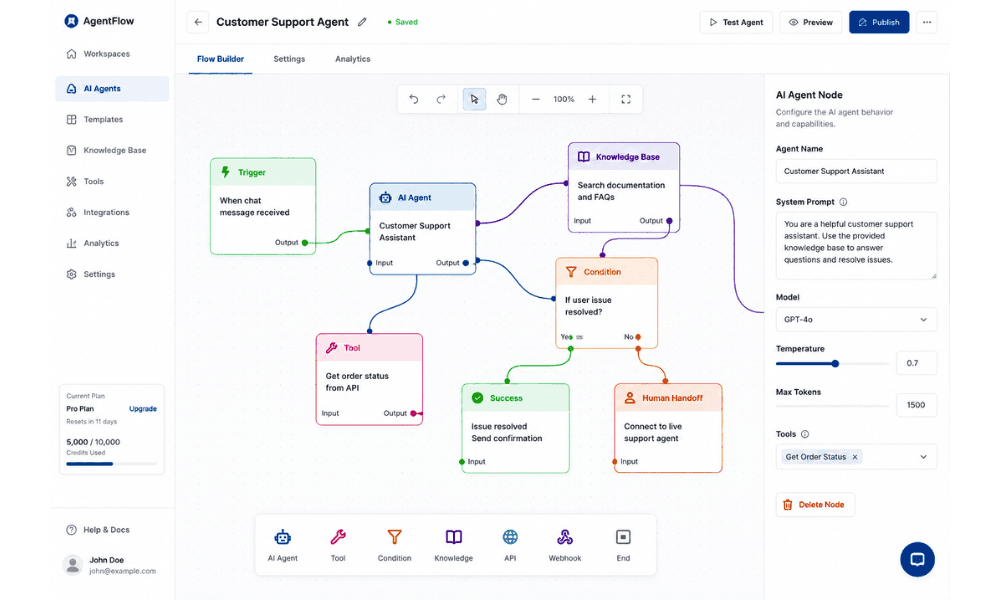
You’re deciding what kicks off the workflow — a new message, someone filling out a form, maybe a scheduled time of day — and what happens next.
That “what happens next” part could be sending an email, saving a lead to a spreadsheet, or calling another tool through an API integration.
Most builders show this visually, as boxes connected by arrows, so you’re dragging “Trigger” into “Action” rather than typing out conditions. It looks intimidating at first glance, and then about ten minutes in, it just clicks.
Step 5: Test, Debug, and Optimize
Don’t skip this. I know it’s tempting to just deploy and see what happens, but test conversations first, and ask the awkward, half-typed questions a real person would send at 11pm.
If something feels off, fix the system prompt before touching anything technical. In my experience, most “broken” agents aren’t actually broken — they just have a lazy prompt behind them.
Run through five or six realistic conversations. Adjust. Run through them again.
Step 6: Deploy Your Agent
Once the answers feel solid, deployment is almost anticlimactic. Most platforms give you a website widget, a shareable link, or an embed snippet you paste into your existing site.
Screenshot suggestion: the “Deploy” tab showing the embed code and share link side by side.
Copy it, paste it, and that’s genuinely the whole process of how to build your first AI agent for free without coding, start to finish.
| Step | Action | Tool Example | Time Required |
|---|---|---|---|
| 1 | Choose platform | Botpress / Flowise | 5 minutes |
| 2 | Define goal & prompt | Any builder | 10 minutes |
| 3 | Connect knowledge base | PDF / Google Docs | 10 minutes |
| 4 | Set trigger & action logic | Zapier / n8n / built-in | 15 minutes |
| 5 | Test and debug | Built-in test chat | 15 minutes |
| 6 | Deploy | Embed / share link | 5 minutes |
Beginner Use Cases
Once you know how to build your first AI agent for free without coding, the next question is always the same: okay, but what should I actually build?
Fair question. Here are the five projects I keep recommending to people, mostly because they’re simple enough to finish in one sitting and useful enough that you’ll actually keep using them afterward.
Personal Email Assistant
I built one of these for myself, mostly out of laziness, and it turned out to be the most useful thing on this list.
It drafts replies to the boring, repetitive emails so I only have to skim and hit send. Doesn’t replace judgment, just saves typing.
Customer Support Agent
This one’s the classic starting project, and for good reason. Feed it your FAQ page or a support doc, and it can handle the “where’s my order” type questions without pulling a real person away from harder work.
Content Research Agent
If you write for a living, or even occasionally, this one’s a quiet time-saver. Point it at a few sources and let it summarize before you dive in yourself.
Lead Generation Agent
Instead of every random inquiry landing straight in your inbox, this agent asks a few qualifying questions first. By the time you see it, you already know if it’s worth your time.
Social Media Assistant
Not for full autopilot posting, I’d never trust that fully, but for caption drafts and rough ideas when you’re staring at a blank box with nothing coming to mind.
Common Mistakes to Avoid
Let me save you some of the headaches I went through, because I hit almost every one of these on my own agents before I learned to spot them coming.
Most of these aren’t technical failures. They’re just small habits that quietly wreck an otherwise decent project.
- Burning through your free API limits without checking usage first, then wondering why the agent stops replying mid-project
- Writing a system prompt so vague the agent basically guesses at what you want
- Skipping the testing phase because you’re excited to launch, then finding the gaps after real users already have
- Dumping messy, disorganized files into the knowledge base instead of one clean document
- Forgetting that AI agent limitations are real — these tools still hallucinate sometimes, so build in a fallback for “I’m not sure” answers
- Trying to build something too ambitious for a first attempt, when a narrow, boring goal would’ve worked better
Honestly, that last one gets almost everyone, myself included. Best practices sound obvious on paper, but you only really learn them after ignoring one.

Final Thoughts
If there’s one thing I want stuck in your head after reading this, it’s that how to build your first AI agent for free without coding isn’t some big technical mountain anymore. It’s mostly just picking a platform and actually starting.
I wasted more time overthinking my first agent than I did building it. Don’t repeat my mistake.
Grab one tool from the comparison table earlier, write down a single clear goal, and give yourself an hour this week. Not a weekend. Just an hour.
You’ll probably surprise yourself with how far a free plan and a bit of patience actually takes you. That’s genuinely how to build your first AI agent for free without coding, in the most honest way I know how to explain it.
So, question for you — which platform will you build your first AI agent with?
Frequently Asked Questions
1. Can I build an AI agent for free without coding?
Yes, and I mean actually yes, not the marketing kind of yes. Botpress, Flowise, and Google Gemini AI Studio all let you go from zero to a working agent using nothing but a free account.
2. What is the best no-code AI agent builder in 2026?
Honestly, it depends on what you’re building. I lean toward Botpress for simple projects, but Lindy AI and Relevance AI pull ahead once your workflow gets more business-specific.
3. How long does it take?
For a first project, an hour is realistic. Some of mine took less. The slow part is usually deciding what to build, not the building itself.
4. Do I need API Keys?
Most of the time, yes. A free Claude API, Gemini API, or OpenAI key usually powers the responses, though a few platforms bundle usage in without asking for a separate key.
5. ChatGPT vs AI Agent?
ChatGPT and Custom GPTs mostly just talk back to you. An agent goes further, using tools and taking actions on its own instead of waiting for you to do everything manually.
6. Which platform is easiest?
Google Gemini AI Studio or Botpress, no contest for me. Neither buries you in settings before you’ve even tried anything.
7. Is Flowise free?
Yes, it’s open-source and free to self-host, though it feels a touch more technical than Botpress once you’re inside it.
8. What are AI workflows exactly?
It’s just the path an agent follows — something triggers it, it thinks through the task, maybe uses a tool, then takes an action. Sounds complicated written out, feels simple once you’ve built one.