Overview
Let’s be truthful here.
When I first heard about a generative AI free course with certificate by Google, I was skeptical.
“Free” + “Certificate” + “Google”? Too good to be true, huh?
However, I did the research and spent quite a few weeks working on Google’s AI learning paths myself, and I can say that it’s absolutely real. And it’s worth your while in 2026.
The need for AI knowledge is sky-rocketing at the moment. Companies are demanding “AI literacy” as a minimum requirement.
If not, then you are already lagging behind others.
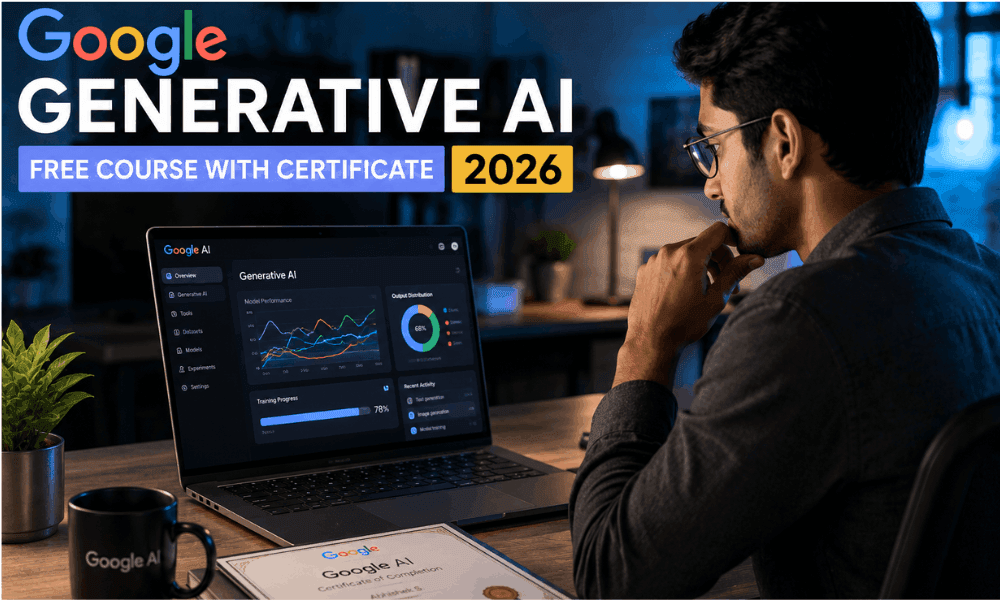
The best part is that Google has made catching up extremely easy. You can take Google AI Courses 2026 for free and learn about Generative AI, Prompt Engineering, Large Language Models, and much more, without having to spend even a single rupee/dollar.
Yes, you will get a shareable certificate at the end.
This blog post will tell you everything from what courses to take, registration process, actual skills learned from these courses, and whether these certificates are valuable to employers.
Let’s get started.
Why Choose Google for Generative AI Training in 2026?
Truth be told, when I was searching for AI courses,
I found myself totally overwhelmed.
There’s Coursera, Udemy, YouTube, LinkedIn Learning,
each telling you that their course is “the best.”
So what I did, which not many would do,
was to enroll in a few courses from different websites and compare them.
Google’s was the standout one, not because of its brand,
but how the content felt while learning.
Why Google’s AI Ecosystem Is Already a Step Ahead
And this is what many people do not realize.
Google is not only an organization that provides AI training.
They actually create the AI technologies that you will use on a daily basis.
When you go through skills.google free AI training,
you do not study an interpretation of how these technologies function.
You get information from their creators themselves.
I recall completing a module on Vertex AI, and immediately thought, “This is precisely what I see on the real console.” No difference between the theory and practice. This is quite unusual. The course also discusses Google AI Studio, NotebookLM, as well as how Docs and Sheets from the Workspace suite interact with AI.
These are tools that millions of people use daily at their workplaces.
So the skills that you learn are not theoretical,
but practical right away. For me, that was very important.
And another important observation: the courses are constantly updated.
The timestamps on the modules showed that material from the beginning of 2026 was already available.
And when AI develops at this speed, that makes a lot of difference.
What the Gemini 2.0 & 3.0 Course Content Actually Covers
Let me make something perfectly clear for you —
Gemini 2.0 and Gemini 3.0 courses offered on Google’s platform are not just basic information.
They provide an in-depth description of these models’ thinking process.
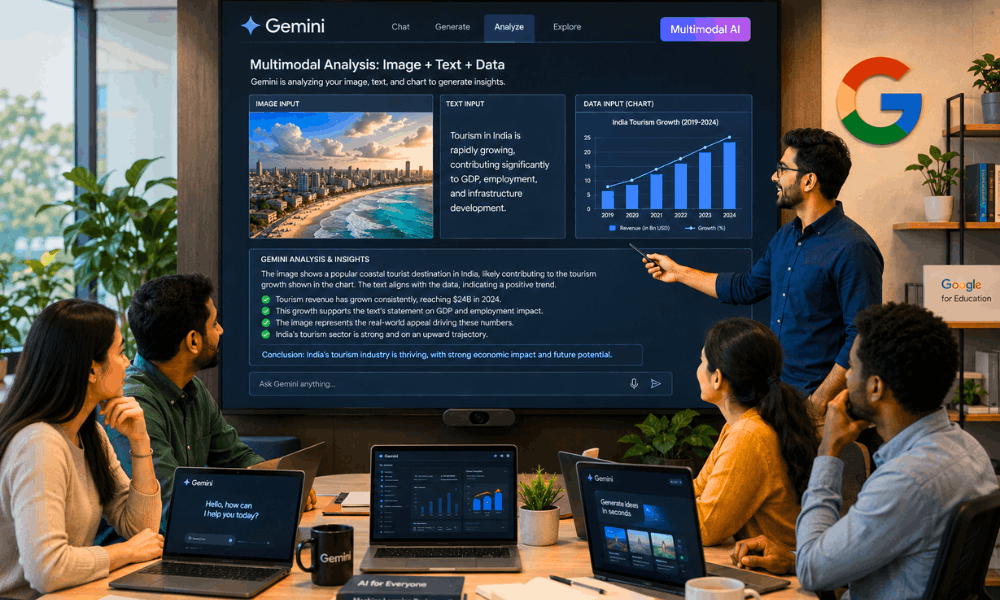
For instance, another portion of the article describes the way that Gemini analyzes a query
consisting of both text and an image together. Such a multimodal ability sets Gemini apart from its predecessors.
In addition, the training covers the differences between Gemini Nano, Flash, and Pro –
the right model for different tasks and its importance for performance and expenses.
This part I considered especially helpful since previously
I just took the model that appeared by default.
There is also information about how Gemini fits within the Google Workplace framework.
Smart replies in Gmail, AI-powered summaries in Google Docs,
and automation of data analysis in Google Sheets – everything is related.
Honest confession: This is not the “watch and forget” kind of module.
It forced me to think through my answers during the quiz.
I even had some mistakes in my first try, which was fine because the content really made me use my brain to comprehend the topic.
Who Should Actually Take These Courses?
Here is my honest opinion on who needs to learn about generative AI using Google’s free courses.
Are you a student? Then definitely, you must do so.
No experience in coding is required for the introductory paths.
What about getting a Google AI certification on your CV before even graduating?
This is a definite perk in the job market of 2026.
Are you employed from 9 to 5? – These classes are meant for people with tight schedules.
I’ve done most of my learning during weeknight evenings, one hour per session.
Very doable!
If you’re a freelancer and you want to provide services related to artificial intelligence —
this is your way to get the necessary knowledge to support your claims to customers.
If you’re working in a managerial or business position —
this is the leadership track for you.
Not about coding, but making wise choices through AI.
Now, who might want to avoid these introductory lessons?
Those who are already machine learning engineers and AI researchers,
these introductory lessons will be too basic for them.
Advanced paths from Vertex AI or Agentic AI Labs
will be a much more appropriate utilization of your time.
But for the overwhelming number of people who read this?
Focus on the basics. You’ll thank me for it later.
Top Google Generative AI Free Courses with Certificates (2026)
Here’s a breakdown of the best options available right now
| Course | Platform | Certificate | Duration | Skill Level | Best For |
|---|---|---|---|---|---|
| Google AI Essentials | grow.google | Yes | ~8 hours | Beginner | Everyone |
| Intro to Large Language Models | Google Cloud Skills Boost | Badge | ~1 hour | Beginner | Developers |
| Generative AI Fundamentals | Cloud Skills Boost | Badge | ~3 hours | Beginner | Professionals |
| Prompt Design in Vertex AI | Cloud Skills Boost | Badge | ~4 hours | Intermediate | Developers |
| Generative AI Leader Certification | Google Cloud | Certificate | ~6 hours | Intermediate | Managers, Leads |
| Responsible AI: Applying AI Principles | Cloud Skills Boost | Badge | ~2 hours | Beginner | All audiences |
| NotebookLM & Workspace AI Training | Google AI Studio | Completion | ~2 hours | Beginner | Business users |
Let me highlight three you should prioritize.
Google AI Essentials — Best for Absolute Beginners
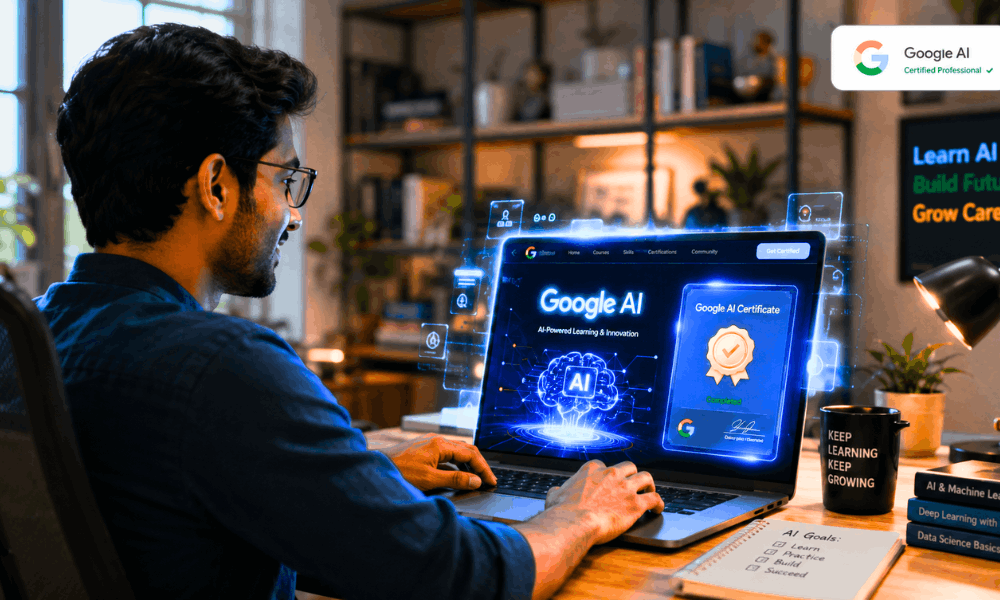
The google AI essentials course free certificate is the best place to start in 2026.
It is delivered on grow.google, and does not require any prior technical experience.
During my journey, I found that Google’s delivery of AI topics is very lucid and concise – without overwhelming you with terms. It covers aspects like working of AI, ethical use of AI tools, prompt writing, and using AI in your daily tasks.
You will receive an officially recognized Google certificate at the end of the course.
The total time is about 8 hours but can be done in a week.
Introduction to Large Language Models — Best for Understanding the Basics
It’s a brief but highly effective course by Google Cloud which covers the introduction to large language models.
You will learn everything in less than an hour that includes definitions of LLMs, training methods of LLMs, differences between LLMs and ML models, and how LLMs help build applications like Gemini and ChatGPT.
With this one, you will earn yourself a badge on Google Cloud and show it off on LinkedIn.
This should be your second Google Cloud course after Google AI Essentials.
Google Cloud Skills Boost — Best for Structured Learning Paths
For anyone that takes certification seriously, Google Cloud Skills Boost will be your go-to site for spending the majority of your time.
With several dozen free labs, courses, and learning paths – ranging from beginner to advanced – on offer, the platform is a one-stop-shop for learning all things Google Cloud.
In addition to having lab-style content where you build stuff inside the Google Cloud console itself. That’s why it’s not like any other video-based class.
What Skills Will You Learn?
This was definitely the part I cared about the most before signing up for the program.
As everyone knows, it’s worthless to have a certificate if you don’t have any practical skills.
So here’s what I personally picked up going through
the generative AI free course with certificate by Google.
These aren’t shallow “awareness” skills either.
They’re things I started using within days of completing each module.
Prompt Engineering
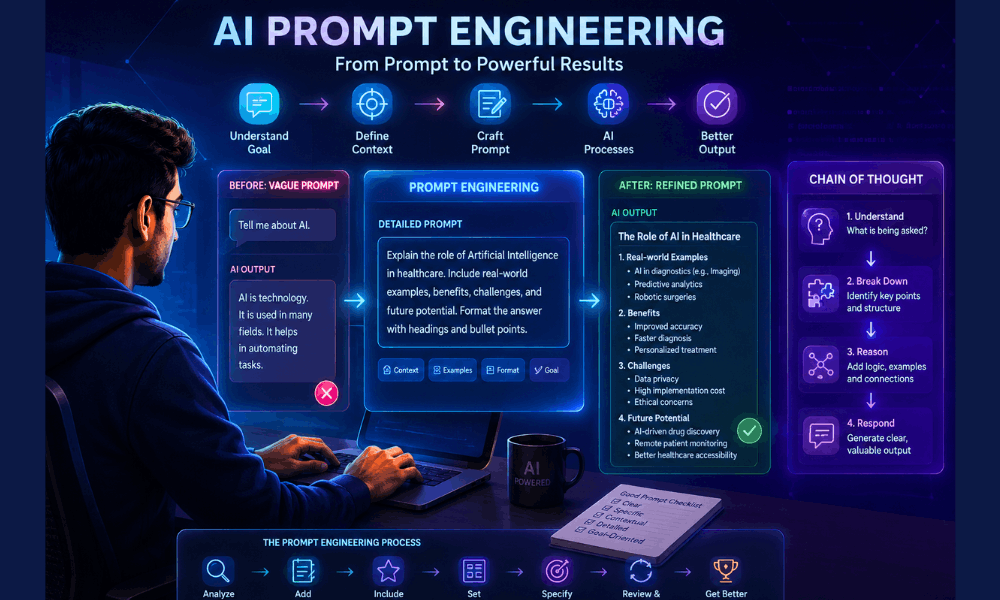
However, the free prompt engineering class at Google’s site
entirely transformed my approach towards AI. Prior to that,
my prompts looked like:
“Please provide me with a summary of this article.”
Now, after the class,
I am able to create prompts such as:
“Summarize this article in five bullets without any technical aspects, emphasizing only the business value.”
The difference in the output is enormous.
You will learn about techniques such as chain of thought prompting, few-shot examples, and role-based prompts.
All these have a different purpose.
Chain of thought prompting is used when there is a need for reasoning from the AI.
Role Prompting is Useful When Tone and Perspective Are Important.
Something I did not anticipate was that in addition to learning about how to create good prompts,
Google’s Prompt Engineering material actually shows you what not to do.
Unclear prompts, long instructions, conflicting requests –
the course covers everything that goes wrong and how to fix it.
And it’s monetizable too.
People are actually being paid for doing prompt work.
Building AI Agents
This was a complete shock to me.
When I first saw agentic workflow and customized AI agents on the Google platform,
I thought it would be beyond my reach.
It wasn’t.
Google is able to explain agents in a manner
that’s understandable even if you’ve never written a line of Python code before.
What an agent is,
an AI capable of planning, performing actions, using tools, and finishing the task without being told what to do at each step.
It’s similar to this: a normal AI responds to your query.
The agent performs your task.
It will teach you about how agents determine their next action,
call external APIs, and how you can put up boundaries so that they do not go off track.
What intrigued me the most was the discussion about multi-agent systems,
in which multiple artificial intelligence agents work together like a team.
This is where the future is taking us in 2026, and Google recognizes this reality through its content.
Even if you’re not a developer, you should know about agents because:
Soon enough, you’ll be managing such systems at work.
Multimodal AI
Before then, my understanding was that AI was essentially a text-based technology.
But the multimodal analysis tutorials offered for free by Google
totally changed that impression.
With multimodal AI, the model is able to analyze text,
images, audio, and video at once.
This is how Gemini is designed from scratch.
The course provides practical examples such as:
uploading an image and posing queries about it,
interpreting a graph without manually interpreting data,
even drawing out information from a small video snippet.
This was personally done by me through the use of Google AI Studio,
and truth be told, it feels like you have access to a whole new set of tools altogether.
Another ability that you will gain from this is the knowledge of how
to apply inputs that fit a certain job.
Sometimes text alone is faster. Sometimes an image gives more context.
Knowing when to use what — that’s the real skill.
Leadership & Strategy Skills
Not every skill here is technical — and that’s actually the point.
The generative AI leader certification path on Google
is built for people who make decisions, not just people who write code.
You’ll learn how to evaluate whether an AI tool is actually right
for your team or your business.
You will learn how to craft responsible AI policies –
issues such as data privacy, bias, and human involvement.
There is even an entire unit devoted to quantifying the ROI
from AI deployment, which is typically ignored by other courses.
This was the most underrated part for me.
As in most companies, the individual who knows about AI
and is able to sell its potential to the management
turns out to be more important than the individual
who knows how to apply it.
Both of these elements are present in the free course of generative AI offered by Google.
The presence of both of them is very uncommon, even in paid courses.
Step-by-Step Guide to Get Your Free Google AI Certificate
To be frank, the first time I attempted to find
out how to sign up, I ended up spending
about 20 minutes just navigating through
Google webpages.
Let me clear that up for you right away.
Here is how everything goes down from
beginning to end.
Step 1 — Create or Set Up Your Google Account
This part is simple but people sometimes overthink it.
You just need a regular Google account —
the same one you use for Gmail or YouTube.
No paid subscription. No Google Workspace plan needed.
Just a free account.
If you already have one, you’re ready to go right now.
One small tip I’d give: use a professional-looking email address
if you’re planning to share this certificate with employers.
Something like your name, not a username you made in 2012.
Go to accounts.google.com and you’re done with Step 1.
Takes less than two minutes.
Step 2 — Pick the Right Learning Path
This is honestly where most beginners go wrong.
They land on Google AI Studio or Cloud Skills Boost
and just click the first course they see.
Don’t do that.
Spend five minutes reading the course descriptions first.
Ask yourself: am I here to learn AI basics,
or do I want to build actual tools?
For complete beginners — go to grow.google
and start with Google AI Essentials.
It’s structured, beginner-friendly, and widely recognized.
For people with some tech background —
head to cloudskillsboost.google.com
and look at the Generative AI learning path.
The Google AI Studio free course content is also worth exploring
if you want to practice prompt design in a live environment.
You can literally test prompts in real-time with Gemini
while going through the lessons.
That interactive element made a huge difference for me personally.
I retained things so much better when I could test them immediately
instead of just watching someone else do it on screen.
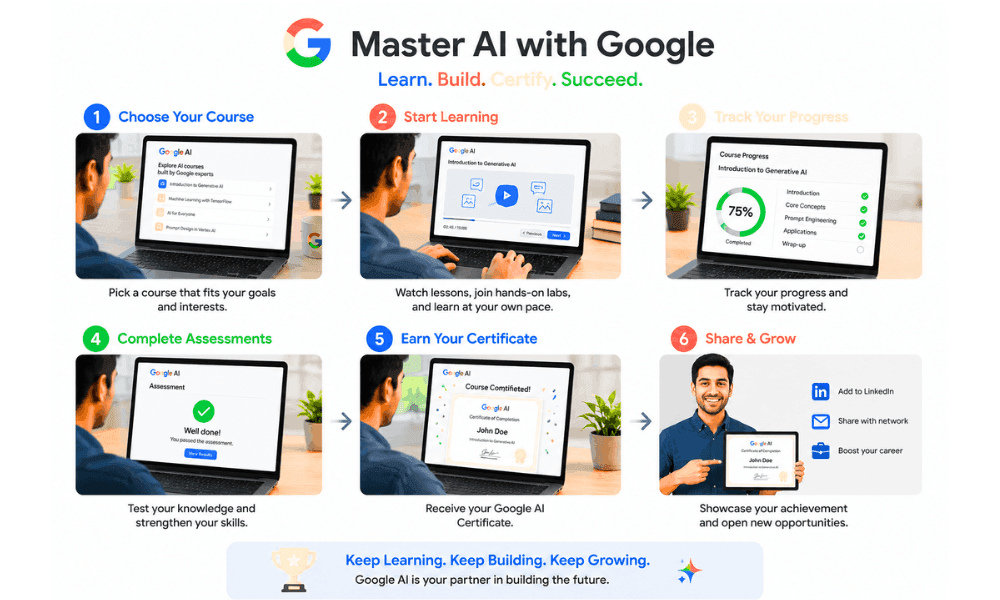
Step 3 — Work Through the Videos, Labs and Quizzes
Here is something I wish someone would have told me before:
Do not just watch the video and neglect the lab portion.
The learning comes through the labs.
This is what happened in my first module,
where I watched all the material and felt confident,
only to be totally stumped by the quiz question.
The quizzes on Google’s platform aren’t just multiple choice recall.
They test whether you actually understood the concept.
Some questions give you a scenario and ask
what the best approach would be.
That’s a good thing — it means the credential actually means something.
My honest advice: take notes while watching.
Even rough ones on paper. It slows you down a little
but the retention is night and day different.
Also — don’t rush to finish everything in one sitting.
One or two modules a day is a much better pace
than burning through six and remembering nothing.
Step 4 — Download Your Badge or Certificate
Once you complete all the required modules and pass the assessments,
your credential is generated automatically.
No waiting. No application. It just appears.
Here’s how to get your Google AI certificate for free in 2026:
On grow.google — go to your profile,
click on “My Learning,” and download your PDF certificate directly.
On Cloud Skills Boost — your earned badges show up
under your public profile page.
Each badge has a unique verification link
that anyone — recruiters, clients, managers — can click
to confirm it’s real.
That verification link is actually what makes these badges
more trustworthy than a plain PDF.
Once you have it, add it to LinkedIn under
“Licenses & Certifications” right away.
Don’t wait. Most people earn it and forget to share it,
which completely defeats the purpose.
Google AI Essentials vs Generative AI Leader Certification in 2026
Many people have asked me this question: “Which one do I need to do first?”
The thing is that it totally depends on
what stage you are at in your career.
I’ve tried both, so here’s my honest comparison
rather than just a list of features.
Here’s a side-by-side breakdown to make things clearer:
| Factor | Google AI Essentials | Generative AI Leader Certification |
|---|---|---|
| Difficulty | Beginner — no tech background needed | Intermediate — some AI awareness helps |
| Certificate Type | Google Certificate (PDF, shareable) | Google Cloud Certificate + Badge |
| Time to Complete | ~8 hours | ~6 hours |
| Best For | Students, job seekers, first-timers | Managers, team leads, business owners |
| Career Impact | General AI literacy signal | Strategic/leadership AI roles |
| Technical Depth | Low — concepts focused | Medium — decision-making focused |
| Cost | 100% Free | 100% Free |
| Pros | Very accessible, widely recognized | Niche, highly respected in enterprise |
| Cons | Less depth for technical roles | Not ideal for hands-on developers |
Now let me add some context the table can’t show.
Google AI Essentials is the one I’d recommend
to almost anyone starting from scratch.
When I completed it, I immediately felt more confident
joining conversations about AI at work.
It’s not deep — but it’s broad in exactly the right way.
You finish it understanding what AI can do
and how to use it responsibly day-to-day.
That alone puts you ahead of most people in most offices right now.
The Generative AI Leader path is a different beast entirely.
It’s less about using tools and more about
making smart decisions around those tools.
There’s content on evaluating AI vendors,
building internal AI policies, and leading teams through AI adoption.
I found myself taking more notes in this one —
not because it was harder, but because the ideas were more nuanced.
If you’re managing people or running a business,
this is probably the more valuable credential of the two.
One thing both courses share though —
they’re genuinely among the best free Google courses for working professionals in 2026
because neither requires you to quit your job to complete them.
You can finish either one across a few evenings or a weekend.
No pressure, no deadlines, completely self-paced.
My honest suggestion?
Do Google AI Essentials first, always.
Even if you’re experienced — it takes less than a day
and gives you a solid shared vocabulary.
Then move into the Leader certification
if your role involves strategy, people, or business decisions.
That sequence worked really well for me,
and I’ve seen it work for others too.
Common Mistakes Beginners Make
I made several of these myself.
So I’m not judging — just sharing what I learned
the slightly painful way.
Skipping the hands-on labs to save time.
This is the biggest one.
I did this in my first module and deeply regretted it.
The labs are where concepts actually click.
Watching a video about prompt engineering
and doing prompt engineering are completely different experiences.
Always complete the labs — even the short ones.
Jumping into advanced courses too early.
I’ve seen this happen a lot in online communities.
Someone watches a YouTube video about AI agents
and immediately tries to enroll in an advanced Vertex AI path.
Then they get confused, feel stupid, and quit entirely.
Start with the basics. Build the foundation first.
Enrolling but never actually finishing.
This one is painfully common.
People enroll, complete two modules,
then life gets busy and the course just sits there.
Set a specific time each day — even 30 minutes —
and treat it like a work meeting you can’t skip.
Ignoring the Responsible AI sections.
Most beginners scroll past these modules
thinking they’re just “corporate filler.”
They’re not.
I got asked about AI ethics in a job interview
three weeks after completing this content.
Those modules saved me in that moment.
Not sharing the credential after earning it.
This one frustrates me honestly.
People put in real hours working through
the generative AI free course with certificate by Google
and then never add it to their LinkedIn or resume.
The certificate only helps you if people can actually see it.
Upload it the same day you earn it.
Don’t leave it sitting in your downloads folder.
Who Should Take These Google AI Courses?
Short answer — a lot of people.
But let me break it down honestly
instead of just saying “everyone can benefit.”
Students
If you’re still in college or university,
this is genuinely one of the smartest things you can do right now.
Most of your classmates aren’t doing this yet.
A Google AI credential on your resume before graduation
is a real differentiator — not just a nice-to-have.
Freelancers
AI skills are billable skills in 2026.
Prompt design, AI content strategy, workflow automation —
clients are actively paying for these services.
A Google credential gives you something concrete to point to
when a client asks “why should I hire you over someone else?”
Developers
The Cloud Skills Boost paths go deep into
Gemini API, Vertex AI, and agentic system design.
If you’re already building things,
these courses add serious technical depth
to what you can offer in your projects.
Teachers & Educators
I’ve spoken to a few teachers who completed these courses
and immediately started using NotebookLM in their classrooms.
The change in how they prepared lessons was noticeable.
Google’s AI tools are genuinely useful in education —
and the training helps you use them responsibly.
Business Owners
You don’t need to understand how AI works under the hood.
But you do need to know which tools to adopt,
what risks to watch for, and how to lead your team through it.
These courses give you exactly that kind of practical clarity.
Job Seekers
By 2026, recruiters will be looking for AI literacy
even for non-tech jobs.
If you’ve earned your Google badge,
it’s obvious that you’re not just interested in AI,
but you’ve done something about it.
Working Professionals
This was actually my situation when I started.
Full-time job, limited evenings, zero patience for fluff.
These courses are self-paced and genuinely flexible.
I finished most of my learning in under two weeks
without disrupting my regular work schedule at all.
Career Benefits After Completing Google’s AI Courses
Be straight forward —
these courses will not get you employed overnight by magic.
But these will definitely give you opportunities which weren’t available before.
This is how your life will transform once you finish them.
Resume
Google AI Certification on your CV
implies one thing for sure to the recruiters –
you are committed to updating your skills.
The year is 2026 and your commitment is
something that not many people care about.
Most candidates just state “knowledgeable in AI.”
And that’s where your certification comes in.
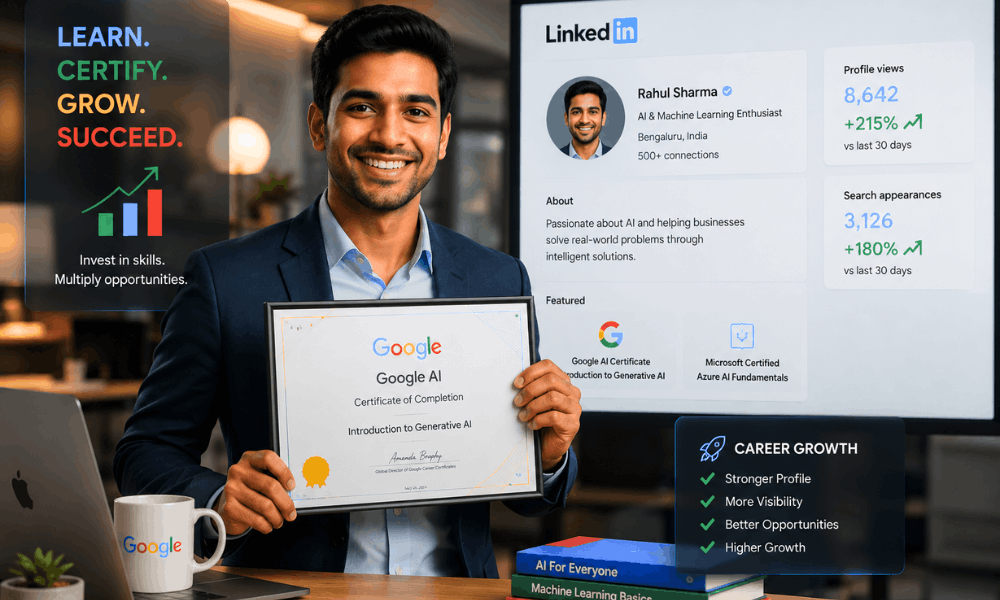
This one had a surprisingly visible impact for me personally.
Within a week of adding my Google badge to LinkedIn,
my profile views went up noticeably.
The credential shows up with a verification link —
which makes it look far more credible
than just typing “AI skills” in your bio.
Freelancing
Prompt engineering, AI content workflows, chatbot setup —
these are real services people are paying for right now.
Having a recognized credential from Google
helps you charge better rates
and close clients who might otherwise hesitate.
Promotion
A lot of companies are creating internal AI lead roles
or looking for someone to head their AI adoption efforts.
Being the person on your team who’s actually certified
puts you at the front of that conversation naturally.
I’ve seen this happen to colleagues
who finished these courses quietly and then
got tapped for new responsibilities within months.
AI Jobs
Entry-level AI roles — prompt engineer, AI content strategist,
AI tools trainer — are increasingly asking for
demonstrated knowledge, not just degrees.
A Google Cloud badge gives you something concrete
to show in applications and interviews.
Portfolio
The hands-on labs produce real outputs —
prompts you’ve tested, workflows you’ve built,
analyses you’ve run in Google AI Studio.
Screenshot them. Document them.
That becomes your portfolio, and it’s more compelling
than a list of tools you “know how to use.”
Confidence
Honestly, this was the benefit I underestimated most.
Before completing these courses,
I’d go quiet in meetings whenever AI came up.
After? I could actually contribute to those conversations.
That shift in confidence is hard to quantify
but it changes how people perceive you at work —
and how you perceive yourself.
Final Verdict
Look, I’ll keep this simple.
I’ve gone through these courses myself.
I’ve seen what they teach, tested the labs,
earned the credentials, and used the skills in real work.
But what’s my genuine opinion?
The generative AI free course with certificate by Google
is among the best free courses to invest your money in 2026.
Not because it’s Google. Brand name alone doesn’t count for anything.
But because the content is current, practical,
and built around tools you’ll actually use.
The certificate is real and verifiable.
The skills are immediately applicable.
And the whole thing costs you exactly zero rupees or dollars.
I genuinely can’t think of a good reason to wait.
Every week you delay is a week someone else
is building the skills and credentials you could have had.
If you’re a student, a professional, a freelancer,
or just someone curious about where AI is heading —
start today. Not tomorrow. Today.
Go to grow.google or cloudskillsboost.google.com
right now and enroll in your first module.
It takes five minutes to sign up
and the first lesson is genuinely interesting —
I say that from personal experience, not just to sound encouraging.
The generative AI free course with certificate by Google
is sitting there, completely free, waiting for you.
The only question is whether you’ll actually use it.
Frequently Asked Questions
1. Is Google Generative AI Course Free With Certificate?
Yes — is google generative ai course free with certificate
the answer is completely yes.
Google AI Essentials on grow.google and most Cloud Skills Boost paths
are 100% free, including the certificate at the end.
No hidden fees, no trial periods.
2. How Long Does It Take to Complete?
Depends on which path you choose.
Google AI Essentials takes roughly 8 hours total.
Individual Cloud Skills Boost badges run between 1–3 hours each.
Most people finish comfortably within one to two weeks
doing an hour or so daily.
3. Can I Add the Certificate to LinkedIn?
Absolutely — and you should do it immediately after earning it.
Go to LinkedIn, click “Add Certification,”
enter Google as the issuing organization,
and paste your verification link.
Takes under two minutes and makes your profile noticeably more credible.
4. How to Register for Google Cloud Free AI Badge?
To register for a Google Cloud free AI badge,
visit cloudskillsboost.google.com,
sign in with your Google account,
search “Generative AI” in the course catalog,
enroll in any free path,
and complete the modules.
Your badge appears automatically in your profile once you pass.
5. Which Google AI Course Is Best for Beginners in 2026?
Google AI Essentials on grow.google — no question.
Zero technical background needed,
well-structured, and the certificate is widely recognized by employers.
Start there, then explore Cloud Skills Boost afterward.
6. Do Recruiters Value Google AI Certificates?
Yes, it is more than expected by most people.
In 2026, recruiters seek people who have AI literacy,
not only technical positions.
It is much more credible to show a certificate from Google
than to write “AI skills” on one’s CV.