

A few years ago, “free AI tool” usually meant a watered-down demo that pushed you toward a paywall within five minutes. That’s not really true anymore.
In 2026, you can genuinely get useful work done — writing, research, coding, design, video, voice — without opening your wallet.
The trick is knowing which of the most powerful ai tools free to use are actually worth your time, and which ones quietly limit you the moment you get comfortable.
This guide is built around one goal: helping you pick the right tool for your specific task, not just admire a long list.
We’ll walk through the best free ai tools 2026 has to offer, flag which ones are truly free ai tools without credit card sign-up, and be upfront about where “free” turns into “freemium.”
I’ve spent a fair amount of time testing these platforms side by side (and going through a few AI tool comparison courses along the way), so what follows is based on actual use, not just marketing pages.
One honest note before we start: free doesn’t mean unlimited. Every tool here has some kind of ceiling — a daily credit, a message cap, a lower-tier model. We’ll tell you exactly where those ceilings sit, as far as they can be confirmed, and warn you when a limit is subject to change.
Quick Comparison: Top 10 Truly Free AI Tools at a Glance

If you just want the short version before diving into details, here’s how the top free ai tools without credit card requirements stack up against each other.
| Tool Name | Primary Category | Best For | Free Limitations | Sign-up Requirement |
|---|---|---|---|---|
| ChatGPT | Conversational AI | Everyday writing, brainstorming | Limited access to top-tier models; usage can throttle during peak times | Free account, no card |
| Google NotebookLM | Research assistant | Summarizing sources, study notes | Limits on number of notebooks/sources; audio features may cap usage | Google account |
| Claude | Writing & reasoning | Long documents, coding logic | Message limits reset periodically; can vary by demand | Free account, no card |
| Microsoft Copilot | Web-connected AI | Search-style answers, quick research | Some features tied to Microsoft account; image limits apply | Microsoft account |
| Canva AI | Visual design | Social posts, presentations | Magic Studio credits are limited monthly | Free account, no card |
| Perplexity | AI search engine | Cited, real-time answers | Fewer “Pro” searches per day on free tier | Optional account for full features |
| Codeium / Supermaven-lineage tools | Coding assistant | Autocomplete, in-IDE help | Premium agent actions capped monthly | Free account, no card |
| Leonardo.ai | Image generation | Concept art, social graphics | Daily token allowance resets each day | Free account, no card |
| CapCut Web / Clipchamp | Video editing | Short-form video, captions | Some templates/effects add a watermark or need upgrade | Free account, no card |
| ElevenLabs | Voice generation | Narration, voiceovers | Monthly character/credit allowance; no commercial rights on free tier | Free account, no card |
None of these require a credit card just to create a free account. A few ask for sign-up through Google or Microsoft simply because the product is tied to that ecosystem, not because they’re hiding a hard paywall.
The 10 Most Powerful Free AI Tools for 2026
Here’s where we get specific. Each tool below solves a different problem, so instead of ranking them 1-to-10 by “best,” think of this as ten different toolboxes for ten different jobs.
1. ChatGPT (Free Tier) – Everyday Conversational & Multimodal AI
ChatGPT is probably the first name that comes up when someone goes looking for the most powerful ai tools free to try, and honestly, it earns the spot.
It’s a conversational AI that can write, brainstorm, explain something confusing, or just help you talk through a messy idea until it clicks. [I use it almost every morning to sort out scattered thoughts before starting real work — nothing fancy, just a bit of clarity.]
The free GPT tier now handles images and files too, so calling it just a chatbot undersells it; it’s a genuinely useful multimodal AI tool for daily tasks.
Students lean on it for learning, freelancers use it for first drafts, and plenty of people reach for it simply because typing a question beats opening ten browser tabs. [What actually surprised me was how the small AI productivity wins added up over a week, more than any single big task did.] You need a free account, but nobody asks for a card.
Free Plan Limitations: Access to the newest, most advanced models is often reduced or delayed on the free tier, and heavy usage can trigger temporary slowdowns. Availability shifts often, so don’t treat any number as fixed.
No Credit Card Verdict: A genuinely solid daily driver for normal tasks — just don’t expect top-tier reasoning power for free every time.

2. Google NotebookLM – Deep Research & Audio Summaries
Google NotebookLM works differently from most chat tools — you feed it your own documents, and it only answers from what you actually gave it.
That one design choice makes it one of the more trustworthy picks for anyone doing google notebooklm free research work. [I once dumped a forty-page report into it just to test the thing, and it built a clean summary in under two minutes — genuinely useful, not a gimmick.]
It’s great whenever you’re drowning in PDFs and don’t want to read everything twice, since it lets you summarize pdf free instead of paying for a separate app.
Students turn lecture notes into study guides, writers organize interview transcripts, and researchers lean on it as an AI research assistant that stays grounded instead of guessing at answers.
Free Plan Limitations: There’s a cap on how many notebooks and sources you can add, and audio-summary features may carry their own separate usage limit.
No Credit Card Verdict: One of the smartest free picks around for anyone doing serious, source-based reading or research.
3. Claude.ai (Free Access) – Complex Writing & Coding Logic
Claude has quietly built a reputation as the free Claude alternative people mention when a task needs patience over speed.
It handles long-form writing, careful reasoning, and coding logic better than most tools sitting at the same zero upfront cost. [I once fed it a half-finished, messy essay and it actually kept track of my argument instead of losing the thread — that stuck with me.]
Document analysis is another strong point; paste in a long contract or a chunk of code and it won’t fall apart halfway through.
It’s genuinely one of the more capable free ai tools right now if your work leans toward long context rather than quick one-liners, though free access resets periodically and message limits shift with overall demand.
Free Plan Limitations: Usage resets on a rolling basis, and exactly how many messages you get can depend on how busy the service is at that moment.
No Credit Card Verdict: Best suited to people who need depth and patience over rapid-fire replies — worth trying before paying for anything.
4. Microsoft Copilot – Free Web Search & AI Assistance
Copilot leans hard into being one of the more reliable free ai search engines because it actually checks the live web instead of guessing from older training data.
[I’ve used it mid-argument with a friend just to settle a factual dispute — genuinely faster than opening a browser tab and typing it out.]
That real-time information angle makes it handy for price comparisons, current events, or quick research with sources attached.
As a browser-based AI, it’s also just already there if you use Edge or a Microsoft account, so there’s no extra setup involved at all. It’s not flashy, but for everyday tasks it quietly gets the job done.
Free Plan Limitations: Some advanced features, especially image generation, are tied more closely to account tier and can slow down after heavy daily use.
No Credit Card Verdict: A solid daily quick-answer tool, particularly if you’re already living inside Microsoft’s ecosystem anyway.
5. Canva AI (Magic Studio Free Tier) – Easy Visual Content Creation
Canva’s Magic Studio tools turned a design app most people already know how to use into a genuinely capable AI image generator. The Canva AI free tier lets you build social posts, banners, and presentations without ever opening anything like Photoshop. [My first attempt at a poster took maybe eight minutes, mistakes included — still faster than I expected from something free.]
This is exactly the kind of entry point people mean when they search for the most powerful ai tools free for beginners, since the drag-and-drop interface hides most of the technical complexity. Templates do a lot of the heavy lifting here, which matters a lot if design was never really your skill to begin with.
Free Plan Limitations: Magic Studio features run on a limited monthly credit allowance, and several premium templates and elements sit behind Canva Pro.
No Credit Card Verdict: Ideal for students and small creators who need visuals fast without learning real design skills first.

6. Perplexity AI – Real-Time AI Search with Citations
Perplexity does one job extremely well: AI-powered search that actually shows its receipts. Every answer arrives with cited sources, which matters a lot when you’re fact-checking a claim or comparing products before spending real money. [I stopped opening ten browser tabs for comparison shopping the week I started using this — small change, but the time saved was real.]
For comparison research or early academic work, having sources you can click and verify beats a confident-sounding answer with nothing behind it. It sits comfortably among the better free ai search engines because it treats accuracy as the whole point, not an afterthought bolted on later.
Free Plan Limitations: Free access gives fewer “Pro” or advanced-model searches per day, after which it falls back to a more standard search mode.
No Credit Card Verdict: Genuinely one of the stronger options here when sourcing and accuracy matter more than raw speed.
7. Codeium / Supermaven-Lineage Tools – Free AI Coding Assistant
This category has moved around a lot lately, so it’s worth being upfront about it: Codeium rebranded to Windsurf and changed hands through acquisition activity in 2025, while Supermaven got folded into Cursor’s parent company. [Honestly, tracking who owns what took longer than testing the actual product — the naming churn confuses even people who follow this stuff closely.]
Despite the shuffle, the free ai coding assistant no card option is still very real: unlimited basic code completions plus a monthly allowance of deeper, agent-style actions inside your IDE. It works as a legitimate GitHub Copilot free tier alternative for solo projects and learning, without asking for payment upfront.
Free Plan Limitations: Premium agent-style actions, like multi-file edits, are capped monthly, though basic autocomplete stays fairly generous for everyday coding.
No Credit Card Verdict: Good enough for personal projects and learning; just check current ownership before betting a whole team on it.
8. Leonardo.ai – Free AI Image Generation
Leonardo remains one of the more generous free text to image AI tools around because it resets your token allowance daily instead of handing you one trial batch that eventually runs out for good. [I forgot to use my daily credits for three days straight and nothing carried over — that’s the one real catch worth remembering.]
As an AI image generator, it gives access to several different underlying models through a single interface, which is more variety than most free tools bother offering.
Concept art, quick social graphics, and general visual experimentation all work well here without needing a paid plan at all.
Free Plan Limitations: Free-tier images are typically generated publicly and usually lack full commercial rights, and unused daily credits don’t roll over to the next day.
No Credit Card Verdict: Great for daily creative experimenting, not the right pick for private client work you plan to sell.
9. CapCut Web / Clipchamp – Free AI Video Editing & Auto Captions
CapCut Web and Clipchamp both cover the essentials of AI video editing without asking for a subscription: multi-track timelines, auto captions, and basic AI voiceovers baked right in. [I edited a short social clip entirely on CapCut’s free plan and only hit a watermark once, tied to one flashy template I didn’t actually need.]
It’s not quite accurate to call this a free ai video editor no watermark tool across the board — some premium templates and effects do add one, while the core editing toolkit stays clean.
For anyone scrolling through most powerful ai tools free lists purely for video work, this pair honestly covers most everyday needs. Clipchamp, built into Microsoft’s ecosystem, brings similar text to speech free tools for quick voiceovers.
Free Plan Limitations: Certain templates, effects, and higher export resolutions like 4K sit behind paid tiers, and some exports can carry a watermark depending on assets used.
No Credit Card Verdict: Solid for short-form content; just preview your export before posting if watermarks worry you.

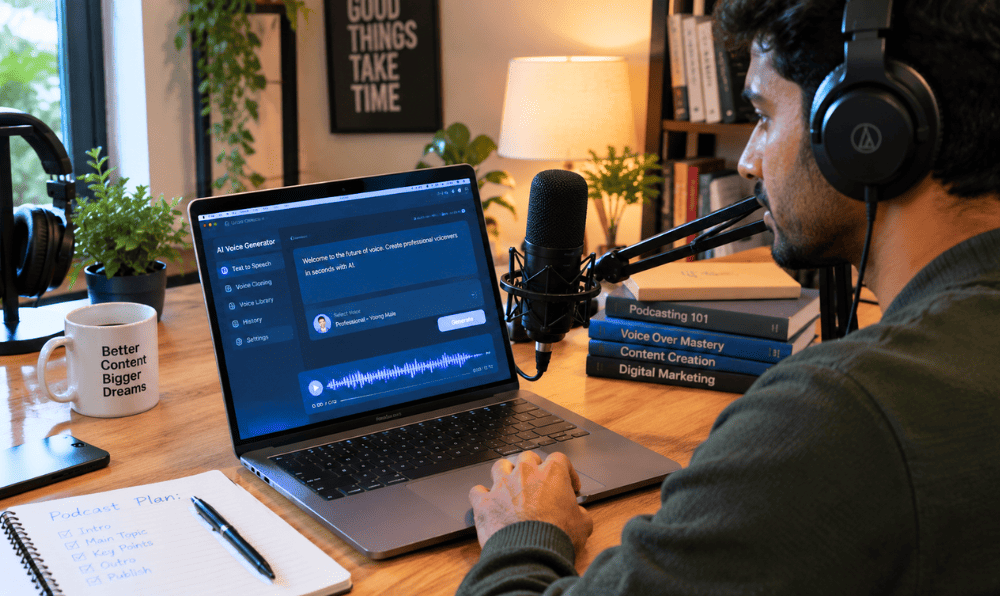
10. ElevenLabs (Free Tier) – Natural AI Voice Generation
ElevenLabs is still the name people mean when they ask for a free ai voice generator that actually sounds human.
The free tier gives a monthly character allowance — enough to test voice quality or record a short narration before deciding whether it’s worth paying. [The pacing genuinely surprised me; pauses landed where a real narrator would naturally pause, not where a script forced them.]
It leans closer to lifelike TTS than the flat, robotic voice synthesis most free tools still produce, which is why it keeps showing up in every serious comparison.
Commercial rights, though, generally require upgrading past the free plan, so treat it as a testing ground rather than a publishing tool for now.
Free Plan Limitations: Monthly free credits translate into only a few minutes of usable audio, and commercial usage rights are not included on the free tier.
No Credit Card Verdict: Perfect for testing voice quality on a personal project; upgrade quickly if you plan to publish anything commercially.
No Credit Card Verdict: Perfect for testing voice quality or short personal projects; upgrade quickly if you plan to publish commercially.
How to Spot “Fake Free” AI Tools: 7 Red Flags to Watch For
Not everything labeled free actually means zero upfront cost. I’ve fallen for a couple of these myself, so this list comes from getting burned, not just reading terms and conditions for fun. [Once I signed up for a “free” tool at 11 pm without reading past the headline, and a charge hit my card nine days later — a mistake I only made once.] Here’s how to avoid trial traps before you hand over an email address to something new.
- A card is required just for a “free” trial. That almost always means a charge is coming unless you remember to cancel in time.
- The trial quietly converts into a paid subscription. Check the renewal date the second you sign up, not the week before it hits.
- Free credits are too small to actually test anything. A handful of generations isn’t a real tier, it’s a teaser dressed up as one.
- Exports come with hidden restrictions. Resolution caps, file limits, or blocked formats show up after you’ve already built something.
- Downloads carry a watermark. Very common with video and image tools, and it’s rarely mentioned until export time.
- Commercial use gets blocked. You can create freely, but using the output for paid work breaks the terms — read them.
- “Unlimited” credits with vague fine print, plus constant upselling. Real freemium limitations exist somewhere; if a tool hides them, that’s the flag itself. [I’ve noticed the pushiest upsell popups usually show up right when you’re mid-task, which feels less like a coincidence and more like design.]
A habit that’s saved me more than once: before trusting open-source AI models or poking around in an unfamiliar API playground, spend two minutes actually reading the pricing page. Genuinely no subscription required tools do exist, they just don’t shout about it as loudly as the ones trying to upsell you.
Paid AI vs. Free AI in 2026: Do You Actually Need to Pay?
Paying isn’t automatically the smarter move. Here’s how the trade-offs actually break down.
| Feature | Free AI Tools | Paid Subscriptions (~$20/mo) | Verdict |
|---|---|---|---|
| Cost | $0 | $15–$25/month typically | Free wins for casual use |
| Usage limits | Daily/monthly caps | Higher or unlimited | Paid wins for heavy users |
| Model access | Often standard models only | Latest/advanced models | Paid wins if quality matters most |
| Speed | Can be slower at peak times | Usually prioritized | Paid wins under deadline pressure |
| File handling | Basic uploads, limited size | Larger files, more formats | Paid wins for big documents |
| Image generation | Daily credits, public output | More credits, private/commercial | Paid wins for client work |
| Research | Solid for personal use | Deeper, faster, more sources | Roughly tied for basic research |
| Coding | Good autocomplete, limited agent actions | Full agentic workflows | Paid wins for professional dev work |
| Commercial work | Often restricted | Usually included | Paid wins clearly here |
| Support | Community/forums | Priority or dedicated support | Paid wins |
If you’re a student, hobbyist, or someone testing an idea, the powerful AI alternatives to paid software free option is usually enough. Freelancers and small businesses doing commercial or client-facing work will hit real walls faster — that’s when paying starts to make sense.
Final Verdict: Which Free AI Tool Should You Try First?
If you’re overwhelmed by choice, here’s the simple version. Best overall: ChatGPT, easiest place to start. Best for students: NotebookLM, turns your own notes into something usable. Best for research: Perplexity. Best for writing: Claude. Best for coding: Windsurf. Best for images: Leonardo.ai. Best for video: CapCut Web. Best for voice: ElevenLabs. [Honestly, I didn’t land on this list overnight — it came from actually switching between tools mid-task and noticing which one I kept going back to.]
Out of everything here, the most powerful ai tools free only really earn that label once you match them to what you’re actually doing — a student and a video editor are never reaching for the same app, and that’s completely fine. Start with one or two tools, learn exactly where their free-tier limits sit, and build them into your routine before paying for anything. [I still switch between three or four of these depending on the day, and none of them have cost me anything so far.] That’s really the whole point of chasing the most powerful ai tools free instead of jumping straight to a subscription.
So, which one are you trying first? Drop a comment with your favorite free AI tool below — I’m genuinely curious which ones stick in people’s daily workflow versus which get abandoned after week one.
Frequently Asked Questions
1. Are there any truly free AI tools in 2026?
However, the concept of “truly free” can vary. The truly free option does not expire and does not require a card (for example, the free version of ChatGPT).
Freemium is limited but does not require any payment. The open-source version is free but requires configuration. There are truly free AI options that don’t have a trial period at all.
2. Which AI tools do not require a credit card for sign up?
Most of these applications such as ChatGPT, Claude, Canva, Leonardo.ai, ElevenLabs, and Windsurf allow users to open their accounts for free by simply giving their emails or using their Google or Microsoft accounts.
They are actually free tools that do not require users to provide any credit card details at the start, but things can change.
3. What is the most powerful free AI tool right now?
There isn’t one clear-cut answer; it’s dependent on the job at hand. When it comes to writing and reasoning, Claude and ChatGPT reign supreme.
When conducting research, the best bets would be NotebookLM and Perplexity. Consider the best free AI tools for your daily tasks rather than assigning a blanket term like “the best.”
4. Can free AI tools be used for commercial projects?
Not necessarily. The commercial usage policies in the free plan are very different for each tool; some tools have no issues with commercial usage of their free output, while some expressly prohibit monetization of their free tier output. Make sure to verify the commercial usage policy before putting it into use in any commercial application.