
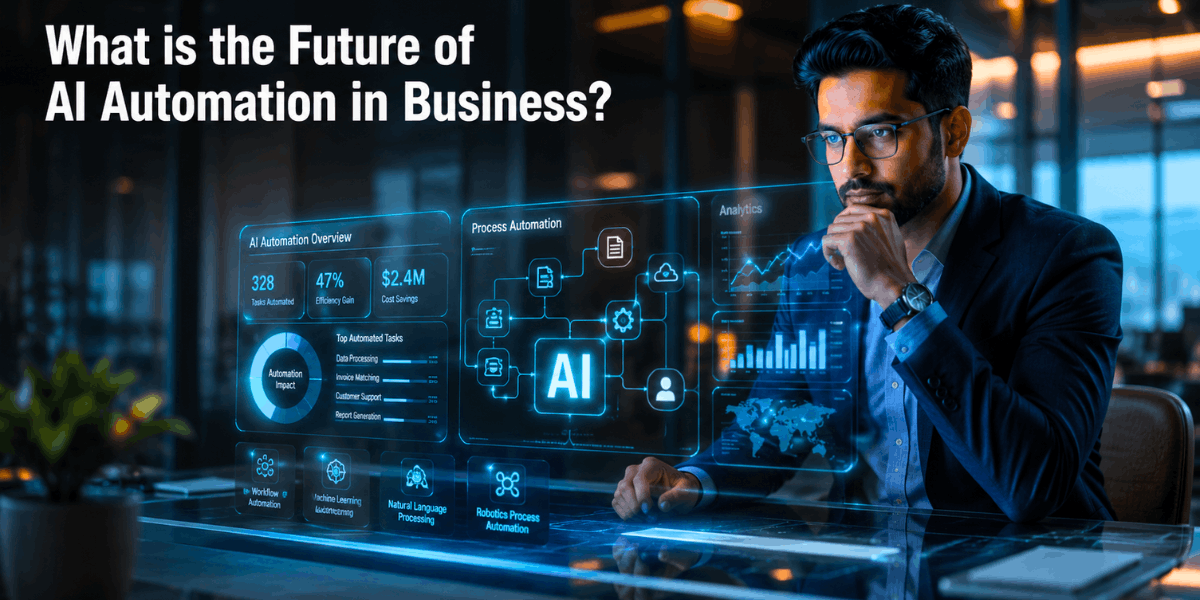
I’ve spent the last few years elbow-deep in AI implementation projects — helping teams automate workflows, wiring up chatbots that actually work, and watching a lot of “automation” projects quietly turn into something bigger.
So when people ask me, “What is the future of AI automation in business?” I don’t give them a textbook answer. I give them what I’ve actually seen change on the ground.
And here’s the reality: 2026 is a different game altogether.
In 2024 and 2025, businesses were still in the experimentation phase – trying out a chatbot on one end, automating an email series on the other.
But somewhere in the last year, the mood shifted. Businesses stopped asking “should we automate this task?” and started asking “why is a human still doing this at all?”
That’s the real story of AI automation trends 2026. We’ve moved from simple task automation to something closer to intelligent process automation.
These are systems that don’t just follow steps, they understand context, make judgment calls, and adjust on the fly, almost like a junior employee who learns fast.
If you’re a founder, marketer, or operations lead trying to figure out where things are headed, this article walks through exactly that — the technologies, the risks, and the practical moves you can make today.
The Shift from Simple Automation to Autonomous AI Agents
For years, I used to set up systems that were basically glorified if-then boxes.
You click a button, something happens. That was “automation” back then, and honestly it felt clever at the time.
Now when clients ask me what is the future of AI automation in business, I tell them straight — it’s not about boxes anymore, it’s about judgment.
How Traditional Automation Is Becoming Obsolete
Old workflow automation was built on rule-based systems. Rigid steps, no flexibility.
I remember a client’s onboarding flow that broke every time a customer typed their name slightly differently.
That’s the problem with static automation — it only works when reality behaves exactly as expected. Reality rarely does that.
Why Agentic AI Changes Everything
This is the part I get genuinely excited about, not in a sales-pitch way, just as someone who’s built this stuff.
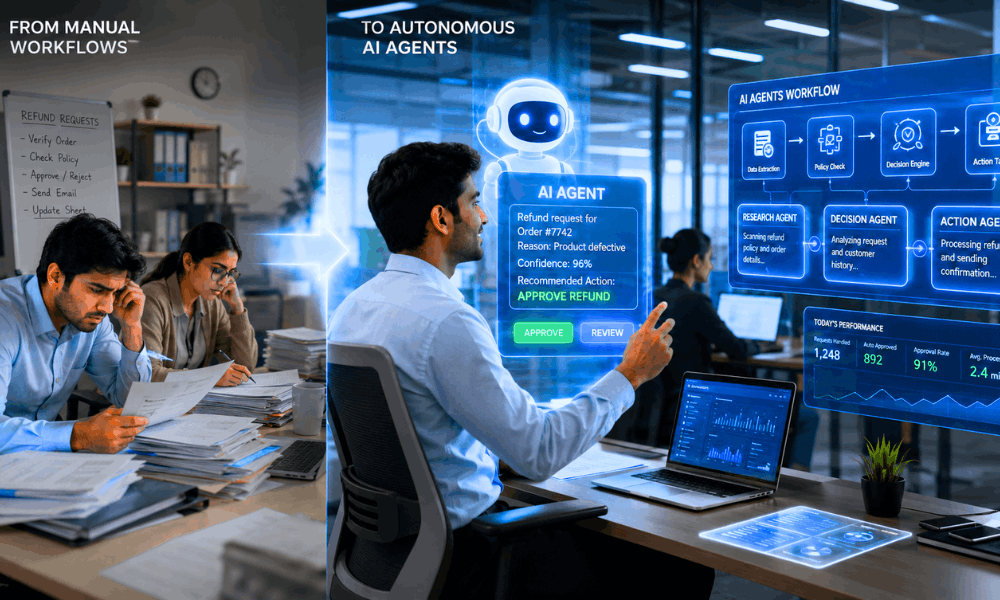
Autonomous AI agents don’t wait for a perfect script. They look at the situation and figure out what to do.
I set up an agentic workflow last year for a small e-commerce brand.
Instead of a rigid return process, the agent checked order history, weighed the risk, and decided on its own whether to auto-approve a refund or flag it for a human.
That’s dynamic decision making in real life, not a slide from some conference.
And it only works because of AI orchestration — different AI pieces talking to each other, passing context along instead of working in silos.
By 2026, I’m seeing this everywhere, not just in fancy tech companies but in small teams that used to dread this exact kind of manual work.
Top Hyperautomation Trends Dominating 2026 and Beyond
If there’s one word that sums up where things are headed, it’s hyperautomation — the practice of automating literally everything that can be automated, then connecting those pieces so they talk to each other.
Why Hyperautomation Is Becoming the New Competitive Advantage
Companies that treat automation as one-off projects are falling behind companies that treat it as infrastructure. When every process — sales, support, finance, HR — is automated and interconnected, the whole business moves faster.
I’ve seen this firsthand: the gap between “automated in pockets” and “automated end-to-end” is now the real dividing line between fast-growing companies and stagnant ones.
How Edge AI Is Reducing Delays and Improving Decisions
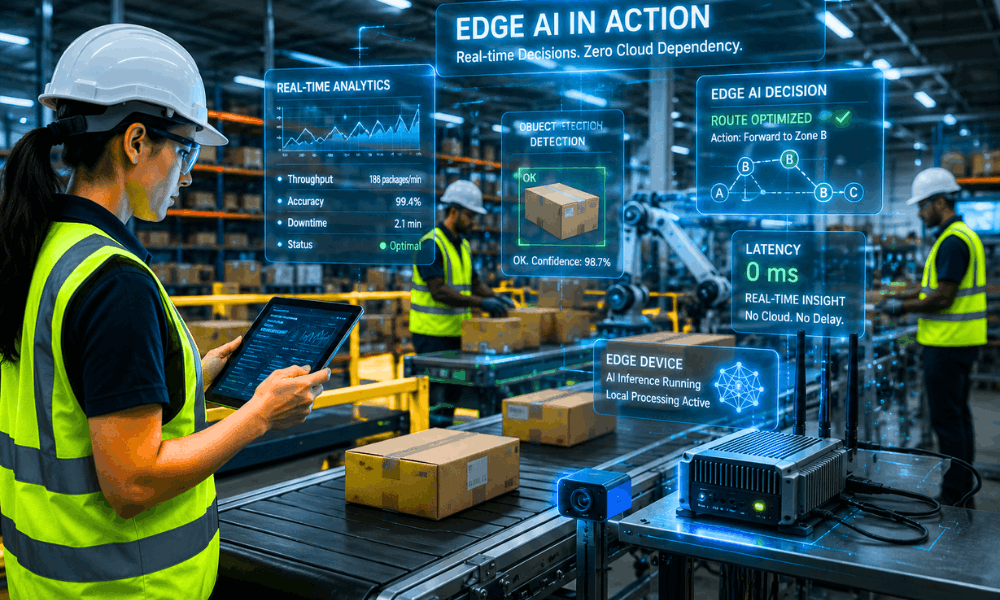
Edge AI — running AI models directly on local devices instead of sending everything to the cloud — is quietly solving a huge pain point: latency.
For retail stores, warehouses, and manufacturing floors, decisions need to happen in milliseconds, not seconds. Edge AI makes that possible without waiting on a round trip to a server.
Digital Twins and Virtual Business Simulation
Digital twins — virtual replicas of physical processes — let businesses test changes before making them in the real world.
I’ve seen logistics teams simulate an entire warehouse reroute in a digital twin before touching a single actual shipment. It’s like a flight simulator, but for your operations.

Predictive Analytics vs Prescriptive Intelligence
Here’s a distinction that trips a lot of people up: predictive analytics tells you what’s likely to happen. Prescriptive intelligence goes a step further and tells you what to do about it.
In 2026, businesses aren’t satisfied with forecasts anymore — they want systems that recommend the action, not just the prediction.
Hyperautomation Trends at a Glance
| Trend Name | Technology | Business Use Case | Business Impact |
|---|---|---|---|
| Edge AI | On-device machine learning | Real-time retail & factory decisions | Faster response, lower latency |
| Digital Twins | Virtual simulation models | Supply chain & operations testing | Fewer costly real-world mistakes |
| Agentic AI | Autonomous AI agents | Customer service, ops automation | Reduced human errors, 24/7 execution |
| Predictive Analytics | ML forecasting models | Demand & risk forecasting | Better planning, fewer stockouts |
| Human-AI Collaboration | AI copilots | Content, coding, decision support | Increased productivity |
How AI Automation Is Transforming Business Operations
Maximizing ROI by Eliminating Manual Work
The businesses seeing the best improve ROI numbers aren’t the ones with the flashiest AI — they’re the ones that ruthlessly identified repetitive manual tasks and handed them off.
Invoice processing, data entry, appointment scheduling — boring work, but it adds up fast when it disappears from your team’s plate.
Reducing Costs Without Reducing Quality
A common fear I hear is: “if we automate, quality will drop.” In practice, it’s usually the opposite.
AI-driven workflow automation tends to reduce human errors because the system doesn’t get tired, distracted, or rushed at 5 PM on a Friday. Costs go down, consistency goes up.
Scaling Faster Without Hiring More Employees
This is the one that changes company strategy entirely. I’ve worked with a 12-person startup that handled a workload that would’ve needed 40 people five years ago.
Not by working harder, but by letting automation absorb the repetitive layer of the business. That’s what it means to scale faster in 2026: growth without a proportional headcount increase.
Which Industries Will Benefit the Most from AI Automation?
I get asked this a lot — which industries actually gain the most, not just in theory but in real numbers.
After working across a few different sectors, I’ve noticed the winners aren’t always who you’d expect.
If you’re wondering what is the future of AI automation in business, industry context matters more than the tech itself.
Banking and Finance
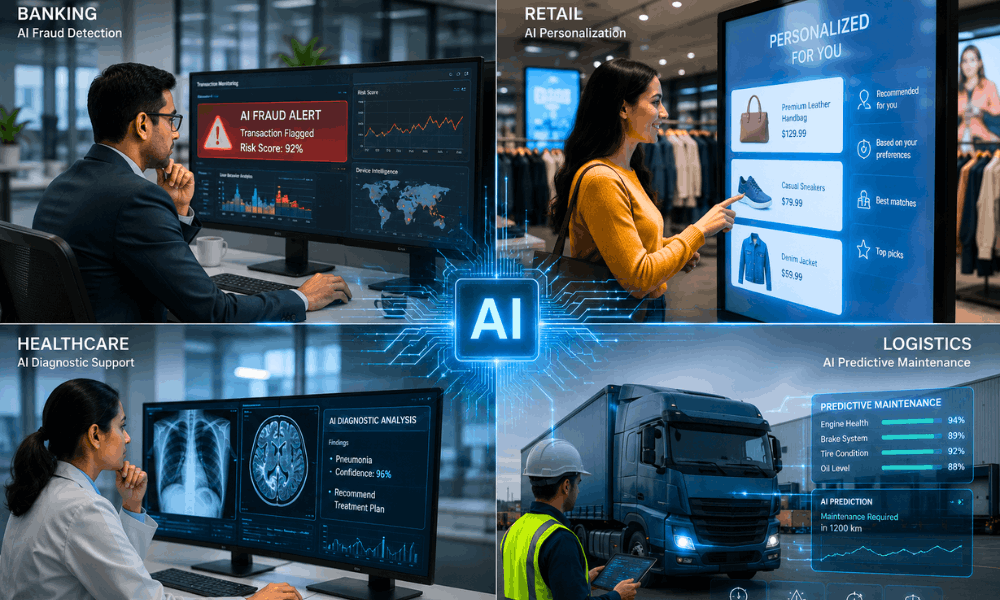
Banks were early movers here, and for good reason. Fraud detection systems catch weird transaction patterns faster than any analyst scanning spreadsheets at midnight.
I’ve seen risk assessment models flag a loan application in seconds, something that used to take a loan officer days to review properly.
It’s not flashy work, but it saves real money.
Retail and E-commerce
This is where I’ve had the most fun, honestly. Hyper-personalization isn’t just showing someone a random “you might like” banner anymore.
It’s adjusting pricing, messaging, even email timing based on how a specific shopper actually behaves.
One client saw their customer experience scores jump simply because the site stopped treating every visitor the same way.
Healthcare and Logistics
AI diagnostics tools are helping doctors catch things earlier, though I always tell clients — this supports a doctor, it doesn’t replace one.
In logistics, predictive maintenance is quietly saving companies from disasters. A sensor flags a part before it fails, not after a truck breaks down on a highway.
And supply chain optimization ties it all together — rerouting shipments before a delay even becomes visible to the customer.
I’ve watched a logistics team avoid a three-day delay just because the system rerouted around a port backup nobody had noticed yet.
What Are the Biggest Risks Businesses Must Prepare For?
I’d be doing you a disservice if I only talked about the upside. Every implementation I’ve been part of has surfaced real risks, and businesses need to go in with eyes open.
Cybersecurity Threats in AI Systems
More automation means more connected systems, and more connected systems mean a bigger attack surface.
Cybersecurity risks aren’t hypothetical — AI systems that touch sensitive data need the same, or stricter, security discipline as any other critical infrastructure.
Algorithmic Bias and Fairness Challenges
Algorithmic bias is a real, documented problem — models trained on skewed data can quietly reinforce unfair outcomes in hiring, lending, or customer service.
Responsible teams test for this actively; they don’t assume it away.
Regulatory Compliance and the EU AI Act
Regulatory compliance is no longer optional homework. The EU AI Act and similar frameworks emerging worldwide mean businesses using AI need to pay attention.
Even companies outside Europe need to understand risk classifications and documentation requirements if they serve European customers.
Job Displacement and Workforce Reskilling
Job displacement is a valid issue, not something to brush aside with rhetoric. The companies doing this right are implementing reskilling policies from the start.
They are shifting their employees from jobs involving repetitive work to jobs managing, auditing, and improving the AI systems themselves.
Essential AI Automation Tools Businesses Should Watch in 2026
People always want a tool list, so let me give you the honest version, not the sponsored-post version.
These are tools I’ve actually used, broken with, and eventually trusted.
If you’re asking what is the future of AI automation in business, tools matter, but picking the right one for your actual team matters more.
You don’t need to code anymore, which still feels a little wild to say out loud.
Low-code tools have made this stuff accessible to marketers, ops folks, even solo founders juggling ten things at once.
Zapier AI is usually where I tell beginners to start. It connects your everyday apps and adds AI logic on top, nothing intimidating about it.
Make.com is the next step up. More visual, more control, better for workflows with a lot of moving parts.
For teams wanting custom AI chatbots or agents without hiring a dev team, VectorShift and Gumloop have both impressed me.
Gumloop especially — I set one up for a client in an afternoon, which felt almost unfair given what it used to take.
UiPath is the heavyweight here, real enterprise-grade RPA. If you’re a large company drowning in repetitive back-office work, this is worth the investment.
And Notion AI quietly became one of my favorite tools for workflow orchestration around documentation, something nobody talks about enough.
Pick one, actually use it for a month, then decide if you need the next one.
Tool Comparison
| Tool | Category | Best For | Cost Saving Impact |
|---|---|---|---|
| Zapier AI | Workflow orchestration | Connecting everyday business apps | Moderate to high |
| Make.com | Visual automation | Complex, multi-step workflows | High |
| VectorShift | AI agent building | Custom AI-driven processes | High |
| Gumloop | No-code automation | Non-technical teams | Moderate |
| UiPath | Enterprise RPA | Large-scale process automation | High |
| Notion AI | Knowledge management | Documentation & internal ops | Moderate |
What Should Businesses Do Today to Prepare for 2030?
I always tell clients — don’t wait for the “perfect moment” to start. That moment never actually comes.
Strategic adoption means picking one process, actually finishing it, then moving to the next. Not trying to automate everything in one messy weekend.
Responsible implementation matters too. Build in checks early, test for bias, don’t just plug something in and hope for the best.
AI literacy shouldn’t sit only with your tech team anymore. I’ve seen marketing folks pick this up faster than developers once they actually get hands-on.
Invest in team upskilling now, while there’s still time to do it thoughtfully instead of scrambling later.
And build hybrid teams — people handling judgment, AI handling scale. That combination is what actually works long-term, not one replacing the other.
Conclusion
Looking back at everything I’ve shared here, the pattern is pretty clear if you’re paying attention.
The future of AI in business operations isn’t some far-off sci-fi idea anymore. It’s already sitting inside tools your team probably uses today.
Strategic AI adoption early on gives companies a real head start, one that compounds year after year while slower competitors catch up.
Hybrid teams — humans and AI working together instead of one replacing the other — are quickly becoming the normal way of working, not the exception anymore.
So if you’re still wondering what is the future of AI automation in business, here’s my honest take after years of doing this work: it’s already here, moving faster than most leadership teams realize.
AI may not replace businesses, but businesses using AI will outperform those that ignore it.
Frequently Asked Questions About AI Automation in Business
1. Does AI automation require coding skills?
Not anymore. Most no-code AI automation platforms are built specifically so business teams — not just developers — can set up workflows.
2. Is AI automation safe for small businesses?
Absolutely, as long as issues regarding data protection and security practices of vendors are examined beforehand. Small companies usually get things done faster than large corporations since they don’t have much history of legacy systems.
3. Will AI replace employees completely?
No way. The trend involves a change in the type of tasks performed by workers; it is no longer about repetitive activities but rather about management, planning, and decision-making.
4. What is the best AI automation tool for startups?
But again, it varies depending on the use case, and some common examples include Zapier AI and Make.com because of its affordable setup and fast learning curve.
5. How much does AI automation cost?
It varies considerably; ranging from the free versions on no-code platforms to major enterprise RPA spending. The SMBs that I have worked with tend to start small and gradually increase spending based on ROI.