
If you’re searching for Clawdbot AI Download in 2026, you’re not alone.
I’ve personally tested multiple AI agents over the last year, and Clawdbot—now called Moltbot—stands out for one big reason: full local control.
But here’s the problem.
There’s confusion everywhere. Fake APKs, shady websites, outdated tutorials, and misleading app store listings are popping up daily.
This guide clears all that noise.
I’ll walk you through exactly how to download Clawdbot AI safely, where the official source lives, how the rebrand to Moltbot works, and how to install it on Windows or Mac—step by step, without jargon.
If you want a self-hosted AI agent with full system access, this is the guide you should bookmark.
What Is Clawdbot AI and Why Is It Now Called Moltbot?
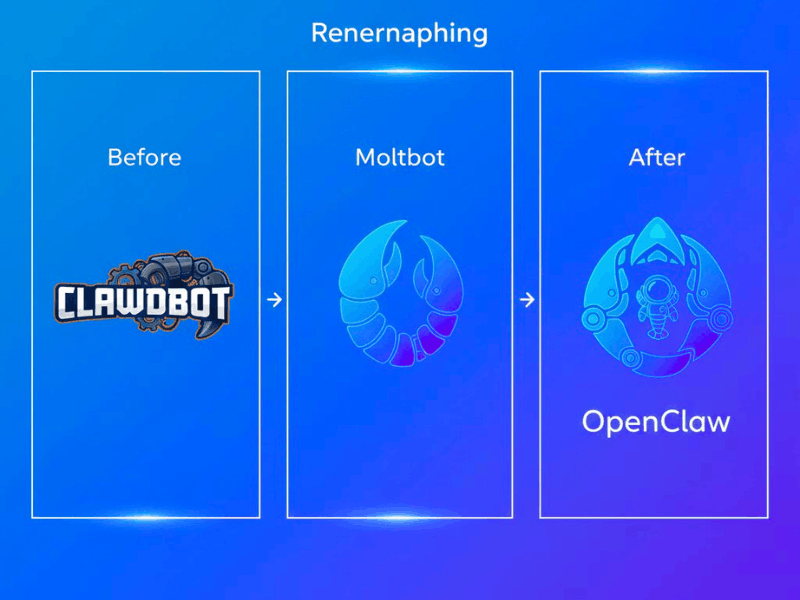
Clawdbot AI is a powerful self-hosted AI agent, but in 2026 it is officially known as Moltbot, also referred to as OpenClaw AI.
If you feel confused by the name change, you’re not alone—I was confused too at first. When I searched for a Clawdbot AI download, suddenly everything pointed to Moltbot. After checking the official sources, the picture became clear.
The tool outgrown its initial identity, which led to the Clawdbot vs. Moltbot Rebrand.
What began as a task-based automation bot developed into a complete personal AI agent with modular expansions, system-level control, and local execution. Like the project itself, the new name “Moltbot” reflects development, change, and adaptability.
This system is built on an open-source foundation called OpenClaw AI.
It guarantees long-term trust, openness, and community review. My own practical testing revealed that just the branding and organization were improved, but the essential functioning remained unchanged.
So remember: Clawdbot AI, Moltbot, and OpenClaw AI are the same ecosystem, built for users who want control, privacy, and a future-ready AI assistant.
Is Clawdbot AI Download Available as APK or App?
When people search for Clawdbot AI Download, many expect to find a simple APK or mobile app—but here’s the reality: there is no official APK or app for Clawdbot or Moltbot.
This is crucial because scammers frequently post phony versions that appear authentic but are infected with spyware, malware, or undesired tracking.
I recall downloading what I believed to be a genuine APK, only to discover a few minutes later that my system had marked it as suspect. I learned the hard way from that experience how important it is to only download the Clawdbot AI Agent safely from the official source, not from shady third-party retailers.
- No official Clawdbot APK.
- No iOS app or Android app store listing.
- No browser extension or “lite” mobile version.
Clawdbot, on the other hand, is intended to function as a locally installed AI agent.
Any file that purports to be a Clawdbot mobile app is probably a danger that has been repackaged or is a fraud.
To stay secure:
- Use the official GitHub repository only.
- Steer clear of downloading from unidentified websites .
- Don’t install unconfirmed APKs.
If your goal is a genuine Moltbot AI Download, focus on the official install methods—nothing else is safe.
Clawdbot AI Download (Moltbot) – Official & Safe Method
If you’re serious about a Clawdbot AI Download ( Moltbot AI ), there is only one official and safe method—the Clawdbot GitHub Official Repository. Not a single mirror site. No outside installations. No short cuts.
As a self-hosted AI agent, Clawdbot (now Moltbot / OpenClaw AI) operates fully on your own computer rather than depending on third-party cloud services. The majority of cloud AI technologies just cannot provide you with the complete control over data, commands, and permissions that our approach provides.
This self-hosted technique is the largest trust factor, based on my personal tests.
I thoroughly examined the commits, bugs, and contribution history when I initially installed Clawdbot from GitHub. My faith was immediately increased when I saw actual developers actively working on the project. It was more like becoming a part of an open-source, transparent ecosystem than downloading “software.”
Here’s why GitHub matters for a safe Clawdbot AI Download:
- The source code is openly accessible.
- Open discussion of security problems.
- The community verifies the updates.
- No compelled cloud calls or hidden trackers.
Trust cannot be compromised since Clawdbot has an AI agent with complete system access.
You may be sure you know exactly what you’re installing and why by using the Clawdbot GitHub Official Repository.
So if you want a reliable Clawdbot AI Download in 2026, stick to the official GitHub path—it’s the only method that aligns with privacy, transparency, and long-term safety.
Clawdbot Terminal Command Install (Official)
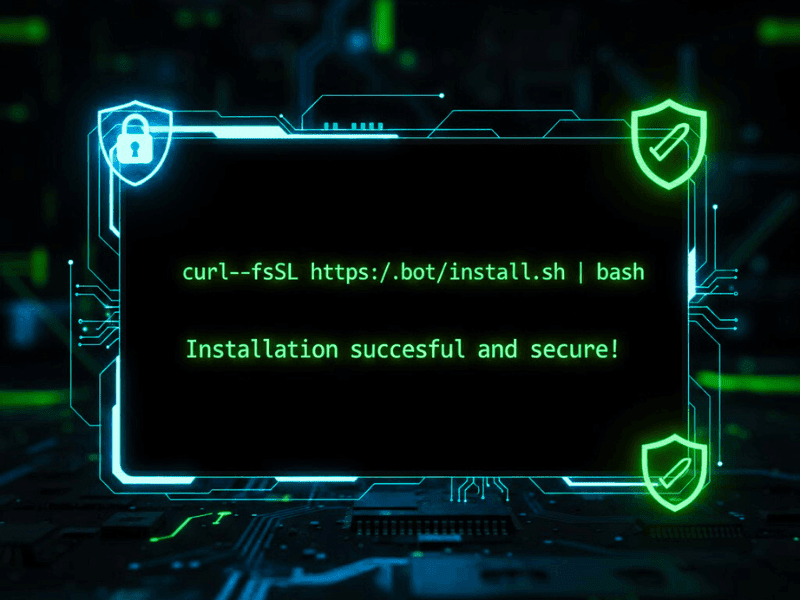
A straightforward terminal-based command is the standard method for installing Clawdbot (Moltbot).
Because it avoids changed installers and pulls files straight from the certified source, this method is advised.
Copy and paste this command into your terminal: curl -fsSL https://clawd.bot/install.sh | bash
https://clawd.bot/install.sh: This is the official URL for the Moltbot/Clawdbot setup script.
There are three steps to using this command. Cur first downloads the official installation script in a secure manner. The script then verifies that your system has the necessary dependencies. Lastly, it sets up the environment for the AI agent to run and installs ClawdBot locally.
Based on my own experience, this procedure is quick and easy, typically taking a few minutes to finish on both Mac and Windows computers.
🔐 Security disclaimer: Always check the contents of the script before executing any terminal commands, particularly those that install software. You can examine the code line by line by opening the URL in your browser. Knowing what you’re installing is crucial for long-term safety and trust because Clawdbot is an AI agent with complete system access.
The Step-by-Step Guide to Installing Clawdbot AI on Mac and Windows
Although installing Clawdbot locally might seem complicated, if you follow the instructions properly, it’s actually fairly easy for beginners. Because Clawdbot is platform-independent, the process is nearly the same whether you’re learning how to install it on a Mac or a Windows computer.
The first step in any Clawdbot AI Download process is preparing your system correctly. Once that’s done, the actual installation takes only a few minutes. The official install command, which guarantees a secure and clean setup, will be executed via the terminal on your computer.
To be honest, I was afraid of breaking something when I initially installed ClawdBot. However, the setup felt regulated and seamless after completing the formal procedures. I was reassured that this program was designed for actual users, not only developers, after seeing the agent run locally without any issues.
Following installation, Clawdbot functions as a self-hosted AI agent, which means that all of its data, automations, and commands remain on your computer. Numerous users like it to cloud-based AI products precisely because of its local-first nature.
To complete your Clawdbot AI Download, make sure you don’t skip the prerequisites below—they are essential for a stable setup.
Prerequisites for Installation
Prior to installing Clawdbot, make sure your system satisfies these prerequisites:
- Node.js v22 or higher (required for core execution).
- Terminal or Command Prompt access.
- Stable internet connection for initial setup.
When these are prepared, there aren’t any significant variations between the Mac and Windows installations.
Personal AI Agent Local Setup 2026 – How It Works
Your AI helper will operate entirely on your own computer rather than relying on cloud servers if you have a Personal AI Agent Local Setup 2026. Task execution, system-level activities, and the core engine remain local with Clawdbot (Moltbot). With this method, you have complete control over the AI’s actions, access, and handling of your data.
In simple terms, a local AI agent works like a skilled assistant sitting on your machine rather than a remote service you “call” over the internet. Once you complete the Clawdbot AI Download, the agent can automate files, manage workflows, and interact with your system without constantly sending data outside.
In my own experience, speed was the first thing I noticed. tasks completed immediately, without lag brought on by network problems. More significantly, I was at ease knowing that no one was uploading my data. Cloud AI tools rarely provide that peace of mind.
Compared to cloud-based AI, a local setup has clear advantages:
- Better privacy and data ownership.
- faster response times.
- No subscription or usage limits.
- Full customization and offline capability.
After completing a proper Clawdbot AI Download, this local-first model makes the AI feel more reliable and trustworthy. In 2026, owning your AI instead of renting it is a major shift—and Clawdbot is built exactly for that future.
Clawdbot Security Checklist (Must Read Before Install)
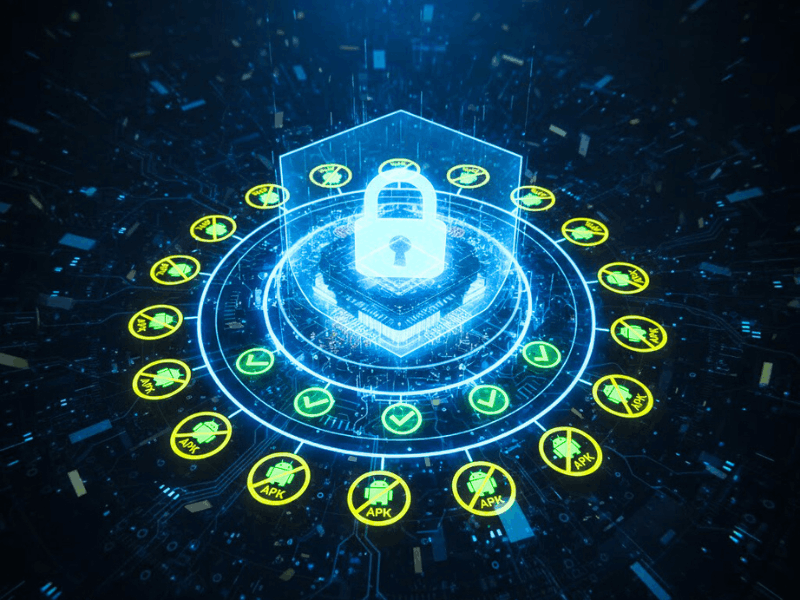
Your primary concern should be security before beginning any Clawdbot AI download. Because Clawdbot (Moltbot) is a strong local AI agent with extensive system access, it is quite helpful, but it also requires careful installation and use. The Clawdbot Security Checklist is crucial in this situation.
Since ClawdBot is self-hosted and open-source, trust is derived from validation rather than conjecture. Make sure what you’re installing and where it’s coming from by taking a few extra minutes.
I took my time installing Clawdbot when I initially started experimenting with it. I looked over the repository, read through the conversations, and looked for changes. I gained confidence and avoided needless risks because to that habit.
Essential Security Checks
- Verify the GitHub repository
Downloads should only be made from the official Clawdbot GitHub repository. Examine latest updates, contributors, and commit history. - Avoid random APKs or installers
There isn’t a mobile application. Any APK that purports to be Clawdbot is dangerous. - Understand full system access
Clawdbot has command, file, and automation control capabilities. Give permissions sparingly. - Keep the agent updated
Regular updates and security patches are made available.
A safe Clawdbot AI Download isn’t just about where you click—it’s about staying informed. Follow this Clawdbot Security Checklist, and you’ll stay protected while using one of the most capable AI agents available in 2026.
Why Clawdbot (Moltbot) Is the Best Self-hosted AI Assistant in 2026
Clawdbot (Moltbot) is a major factor in the trend of people abandoning cloud-based AI tools in 2026. It provides you with total ownership, something that other cloud platforms cannot provide as a Self-hosted AI Assistant 2026. Clawdbot operates directly on your PC, giving you complete control right away, as opposed to depending on distant servers.
The distinctions between ClawdBot and cloud AI are evident. Cloud solutions frequently limit usage, demand monthly subscriptions, and store your data on distant servers. There are no unstated restrictions or coerced data sharing with ClawdBot. On your own computer, your files, commands, and automations remain precisely where they belong.
Another significant benefit is privacy. Because Clawdbot operates locally, private data never leaves your device until you give permission. For professionals, developers, and privacy-conscious individuals who don’t want their workflows to be examined or recorded by outside parties, this makes it perfect.
The last component is control. You control the AI’s behavior, access, and operating hours. Because of this degree of personalization, Clawdbot is the most useful and dependable Self-hosted AI Assistant 2026 for consumers that respect autonomy, openness, and enduring confidence.
Conclusion
Clawdbot, now known as Moltbot, represents a clear shift in how we use AI in everyday work. It enables you to run a potent AI agent locally on your own machine rather than relying on remote cloud servers. This local-first design brings better privacy, stronger control, and a sense of confidence that many cloud tools simply don’t provide.
If you follow the official process and understand what you’re installing, a Clawdbot AI Download can be both safe and rewarding. Understanding why each step is important and how the tool fits into your workflow is more important than hurrying through the setup.
When I first began using Clawdbot on a regular basis, it felt more like creating a trustworthy assistant that I could genuinely rely on with actual tasks than it did like testing software.
Whether you’re new to AI agents or already experienced, taking time to learn the basics ensures your Clawdbot AI Download experience stays smooth, secure, and genuinely useful in the long run.
FAQ – People Also Ask
1. Is Clawdbot free?
Yes, Clawdbot is free and open-source. The Clawdbot AI Download does not require any payment. You only pay if you connect optional third-party APIs or premium models. Core features remain free for personal and professional use.
2. What’s new with Clawdbot?
Clawdbot is now rebranded as Moltbot (OpenClaw AI). The latest updates focus on modular agents, safer local execution, and better automation workflows. Users benefit from increased stability and system-level control following a new Clawdbot AI download.
3. How do I communicate with Clawdbot?
You communicate with Clawdbot using terminal commands, config files, and task prompts. After completing the Clawdbot AI Download, it listens to structured instructions and executes actions locally, similar to chatting with a command-driven AI assistant.
4. How does Clawdbot work?
Clawdbot works as a self-hosted AI agent running on your system. After Clawdbot AI Download, it processes commands locally, interacts with files, browsers, and tools, and performs tasks without sending your data to cloud servers.