
Introduction to Creating a Voice AI Skill
One of the most intriguing things you can do in 2025 is to develop a computer voice that sounds exactly like you or like you. Today, anyone can learn how to create my own voice AI skill without spending money thanks to a wide range of AI voice generator tools, free TTS platforms, and zero-shot voice cloning technologies.
You may now create unique voices with extremely tiny datasets because to quick developments in Voice Cloning, Zero-Shot Cloning, Text-to-Speech (TTS), and Speech-to-Speech (STS) technologies. With the aid of these technologies, you may transform basic recordings into expressive, real-time, high-quality speech.
This article will walk you through the process of creating a bespoke vocal skin for games, a voice for your content creation, or even a custom AI voice assistant.
By the conclusion, you will know how to use solely free tools to complete every step, from capturing your audio dataset to deploying your model.
Most importantly, this guide is beginner-friendly and helps you learn how to create my own voice AI skill without any coding.
What is a Voice AI Skill?
A unique digital speech feature made with AI is called a Voice AI Skill. It enables users to use a cloned or customized voice to communicate with devices, utter commands, or produce speech.
Consider it similar to creating your own Alexa skill, but using any voice you like.
TTS, STS, voice cloning, and voice model training are some of the technologies used in these abilities.
Once produced, this AI voice can be included into personal tools, websites, games, and apps.
Learning how to create my own voice AI skill also gives you the power to automate narration, tutorials, responses, and more.
Why Voice AI Skills Are Trending in 2025
Thanks to programs like ElevenLabs, MyShell, and Descript Overdub, which make speech cloning extremely simple, voice AI has taken off in 2025. Faster narration is what creators desire. Custom characters are what gamers seek. Companies are looking for natural-sounding assistants. Additionally, novices want to experiment with no financial outlay.
AI voices now sound practically human because to advancements in Emotional Range, Real-Time Synthesis, and High-Fidelity Audio. And because Zero-Shot Cloning requires almost no training data, anyone can try how to create my own voice ai skill with just a few minutes of audio.
Understanding Voice Cloning & TTS/STS Technology
A number of fundamental technologies must cooperate for voice AI to function. If you understand the basics, you can easily learn how to create my own voice AI skill. The technique of capturing a person’s distinct tone, pitch, rhythm, and emotive expression is known as voice cloning.
Deep learning, voice model training, and audio datasets are used in its operation.
Text-to-Speech (TTS) uses your cloned voice to translate text into speech.
Even more advanced is Speech-to-Speech (STS), which instantly converts your spoken voice into a cloned voice.
Modern tools provide:
✔ high-fidelity audio
✔ emotional expression
✔ natural breathing patterns
✔ noise reduction
✔ instant synthesis
Many platforms now support free voice cloning, making this the perfect time to learn how to create my own voice ai skill.
How Voice Cloning Works Using Audio Dataset
Voice Cloning works by feeding an audio dataset into an AI model.
Your dataset should include:
clean background
multiple sentences
different speaking styles
varied emotional tone
The AI listens to your audio and extracts patterns like:
vocal texture
pitch frequency
pronunciation
pacing
accent
This information helps create a unique Custom Voice Library for your skill.
The better your dataset, the better your results—especially when learning how to create my own voice ai skill.
What Is Zero-Shot Cloning & Why It Matters?
The simplest and fastest technique is zero-shot cloning. It enables AI programs to mimic your speech from a small sample, often as little as 10 to 20 seconds of audio.
This is game-changing because it means beginners can explore how to create my own voice ai skill without:
long recordings
complicated training
expensive software
Zero-shot cloning is ideal for personal assistants, character voices, content production, and testing since it produces surprisingly good results.
Essential Tools to Create Your Voice AI Skill
To learn how to create my own voice ai skill, you only need a few tools—many are 100% free.
Below are the most popular platforms for beginners and professionals.
ElevenLabs, MyShell, Descript Overdub Explained
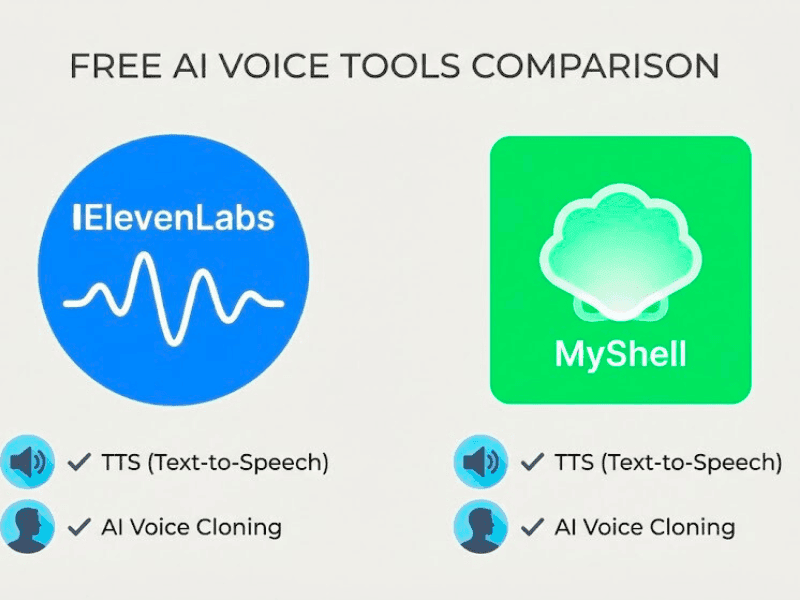
ElevenLabs
Best for high-quality TTS with emotional range and real-time synthesis. It provides increased expressiveness, high-fidelity audio, and zero-shot cloning.
MyShell
provides a free voice model training program. Excellent for developing AI voice assistants and customized speech skins.
Descript Overdub
Ideal for makers and podcasters who need a reliable narrating voice. Excellent for editing and enhancing the sound of voice recordings prior to cloning.
These tools help you practice how to create my own voice ai skill with minimal effort.
Best Free AI Voice Generator Tools Today
Here are completely free options for beginners:
MyShell Free Voice Training
OpenVoice (Zero-Shot Cloning)
Coqui TTS (Open-source)
Tortoise TTS
Vocos
Revoice
All support:
real-time synthesis
emotional range
custom voice library creation
cost-effective methods
These are perfect for anyone exploring how to create my own voice ai skill without paying.
Step-by-Step Guide: How to Create My Own Voice AI Skill
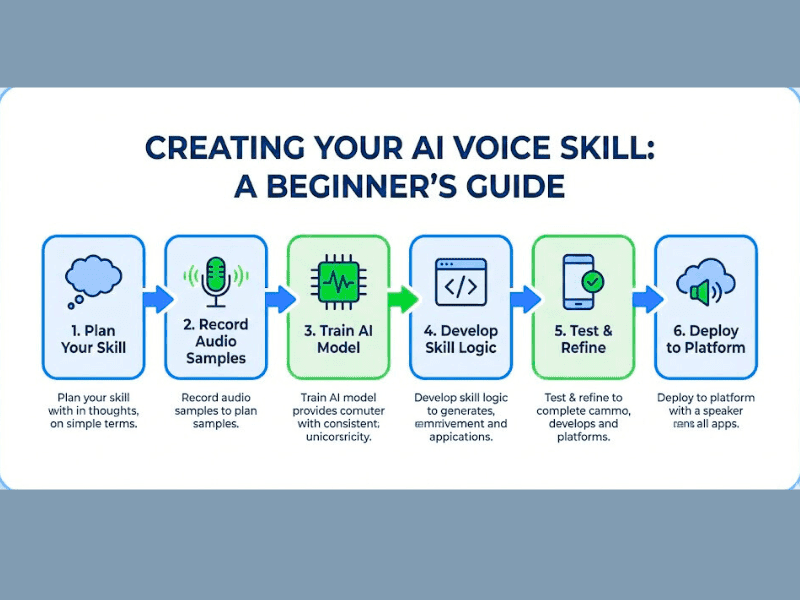
It’s easier to learn how to create my own voice AI skill when it’s broken down into manageable steps. The process of creating your audio dataset, training your voice model, and then implementing it as a fully functional AI voice assistant is described in this section.
Voice Cloning, Text-to-Speech (TTS), Speech-to-Speech (STS), and Zero-Shot Cloning are among the technologies used in each stage that enable you to produce expressive and high-fidelity voices even with free tools.
You may create an AI voice that is realistic, emotionally complex, and responsive in real time by comprehending these three stages.
Developing a voice that sounds consistent, natural, and ready to be incorporated into games, apps, or content platforms is your aim.
Step 1: Preparing Your Audio Dataset
The first step in how to create my own voice AI skill is preparing a clean, high-quality audio dataset, because your final model’s clarity and emotional range depend heavily on your recordings.
To assist the AI in learning expressive patterns, you should record three to five minutes of natural speech in a variety of tones, such as neutral, excited, quiet, and narrative.
For high-fidelity audio, use a quiet space, stay away from fan noise, and keep your microphone at a constant distance.
At least 20 to 40 sentences representing a range of emotions and speaking speeds should be recorded. This optimizes Zero-Shot Cloning, improves Voice Cloning, and provides more robust input for training voice models. Because poor input reduces the quality of the AI voice, make sure the audio is free of distortion, background hum, and echo.
After it’s finished, you’ll upload this dataset to sites like ElevenLabs, Coqui TTS, or MyShell, where the system starts examining your pronunciation patterns, rhythm, pitch, and style.
Step 2: Voice Model Training Basics
After preparing your audio dataset, the next step in how to create my own voice AI skill is the voice model training phase. Here, AI uses deep learning algorithms to scan your audio and extract information like accent patterns, speech texture, pace, and emotional indicators. After that, the model creates a unique voice library that serves as your voice profile.
Depending on the platform, training could take a few minutes or several hours.
High-fidelity, expressive voice outputs are the focus of programs like MyShell, Descript Overdub, and Coqui TTS, which include capabilities like emotional range, real-time synthesis, and speech-to-speech (STS) conversion.
This phase is essential for producing tone fluctuation that sounds natural and enhancing Zero-Shot Cloning accuracy. As training goes on, the model has the ability to more accurately mimic your voice, including pauses, breathing patterns, and emphasis, giving your AI assistant a genuine foundation.
Step 3: Deploying Your AI Voice Assistant
The final step in how to create my own voice AI skill is deploying your trained model into practical applications. You may include your AI voice into apps, websites, chatbots, or games by using API endpoints from platforms like MyShell, ElevenLabs, or open-source engines.
Choosing between Speech-to-Speech (STS) for real-time voice transformation and Text-to-Speech (TTS) for script narration is part of deployment.
With your new voice skin, you may develop personalized AI voice assistants, produce audio for content creation, or create interactive experiences.
Model deployment also supports exporting high-fidelity audio files for podcasts, YouTube narration, or audiobook authoring.
This stage completes the voice-skill generation process and turns your model from a basic clone into a useful, intelligent system that can reply, speak, and carry out tasks on its own.
Improving Quality: Emotional Range & High-Fidelity Audio
One of the most crucial aspects of learning how to create my own voice AI skill is improving the output quality because your model’s comprehension of sound directly affects clarity, emotional depth, and realism.
Your AI voice will sound more human thanks to high-fidelity audio, expressive tone management, and a wider emotional range, particularly when utilizing Voice Cloning, TTS, and STS technologies.
Your audio dataset needs to be clear, consistent, and distortion-free in order to reach professional-grade quality.
During voice model training, AI systems like ElevenLabs, MyShell, and Descript Overdub examine pitch, breath, emphasis, and rhythm.
Improved data preparation guarantees more precise emotional patterns and more fluid articulation.
The quality of your input is also a major factor in real-time synthesis. The AI builds a deeper emotional library if your audio dataset has a variety of moods, such as calm, excited, narrative, and serious. This allows for high-fidelity audio output for games, assistants, and narration.
When your model is used as an AI voice assistant or integrated into apps, it sounds more natural.
Your model can produce realistic speech, react dynamically, and remain clear in any situation if you have the correct dataset and training configuration.
This is essential when focusing on how to create my own voice AI skill at a professional level.
Recording Tips: Voice Recording Quality
Good recordings are the foundation of how to create my own voice AI skill because they directly affect clarity, realism, and emotional range. To minimize echo, always record in a room that is calm and has soft surfaces. To keep your tone constant, place a steady microphone 6 to 8 inches away from your mouth.
Avoid abrupt volume shifts and speak at a steady, natural pace. To increase the model’s emotional range, including neutral, joyful, and narrative tones. After training, high-resolution audio (48 kHz) enhances high-fidelity audio output.
Systems like ElevenLabs, MyShell, and other AI voice generating programs can accurately learn your pitch, texture, and breath patterns thanks to clean recordings.
Stronger Voice Cloning and more consistent Zero-Shot Cloning performance are produced by better recordings.
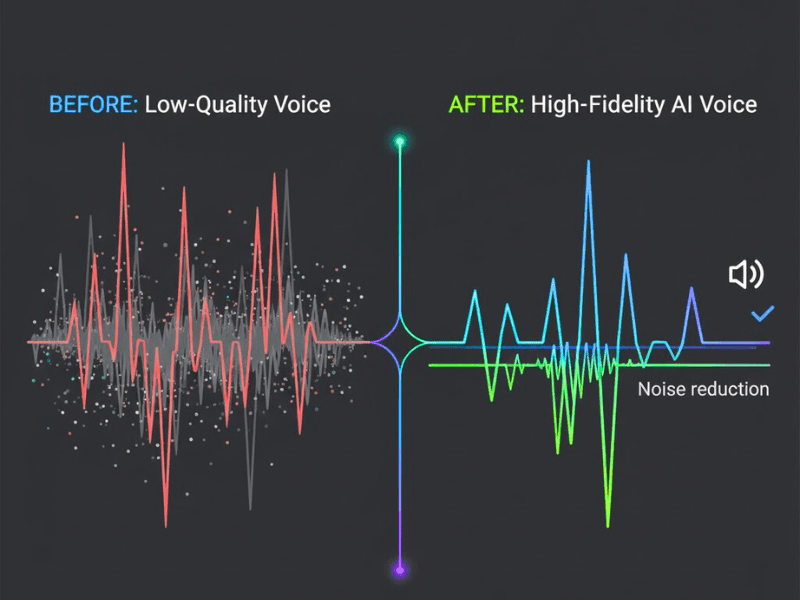
Real-Time Synthesis & Output Quality
Your model becomes a strong, responsive system through real-time synthesis. This stage is vital for anyone learning how to create my own voice AI skill, because your AI must sound natural even during instant playback.
When your dataset and training quality are excellent, platforms that use TTS and STS technologies produce speech that is clear, fluid, and emotionally consistent.
Here, high-fidelity audio becomes crucial because it enables the AI to produce sound that is on par with a studio.
Pitch, tone, and rhythm are optimized during live output using programs like MyShell, Coqui, and ElevenLabs.
A well-trained model can be used for interactive dialogue systems, games, narration, and assistance since it generates steady, distortion-free voice responses.
Your AI voice will sound authentic and smooth in every situation thanks to powerful real-time synthesis.
Practical Uses of Your Custom Voice AI Skill
When you learn how to create my own voice AI skill, you unlock multiple real-world applications that go far beyond simple voice cloning. A trained model can be used as a personalized audio identity for branding, a narration for videos, a character voice for games, or even an AI voice assistant.
Your personalized voice may convey a wide range of emotions, produce high-fidelity audio, and carry out real-time synthesis using programs like ElevenLabs, MyShell, and Speech-to-Speech (STS) engines.
Because of its adaptability, your AI voice can be used by developers, marketers, producers, and anyone else seeking a distinctive audio presence.
Personalized Voice Skin
The opportunity to construct a bespoke vocal skin—a digital representation of your voice that sounds authentic, expressive, and distinctive—is a significant advantage of learning how to create my own voice AI skills.
vocal Cloning, Zero-Shot Cloning, and thorough vocal model training are used to build this voice skin, which enables the system to capture your pitch, rhythm, accent, and emotional range.
This personalized vocal skin can be used in branding tools, customer support bots, and AI voice assistants.
Your digital voice will sound natural in every application thanks to platforms like ElevenLabs and MyShell, which offer high-fidelity audio output.
You can stop using generic TTS voices when you have your own unique voice skin. Rather, you get a versatile, customized audio identity that functions in real-time synthesis and adjusts to various tones, such as dramatic, friendly, professional, or narrative.
Content Creation, Gaming, Narration Use Cases
You can use it in a variety of creative fields after you know how to create my own voice AI skills.
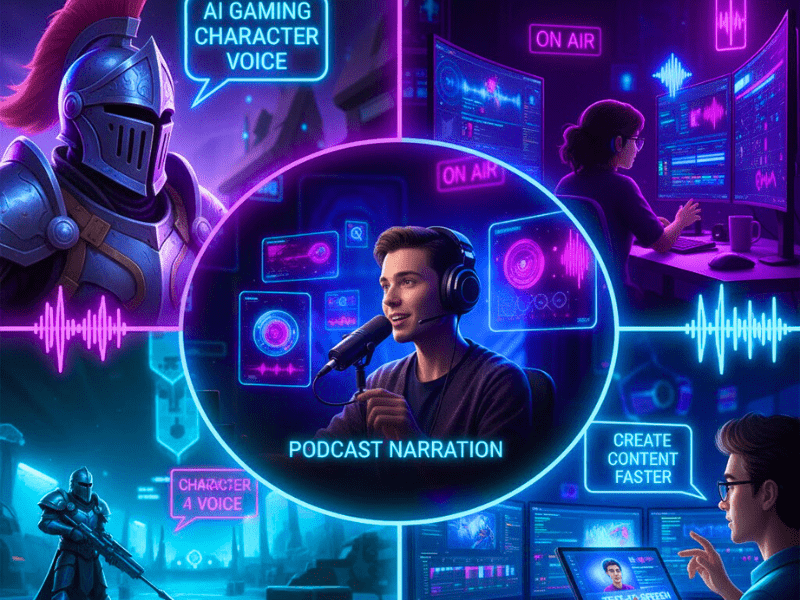
Content producers can use their cloned voice for audiobook production, TikTok videos, podcast narration, and YouTube intros. The output is ideal for narrative because of its emotional range and high-fidelity audio.
During live gameplay, your personalized voice can be used as an NPC voice, character dialogue, or real-time STS-modified speech.
Project integration is made easy with tools like AI speech generators, MyShell, and Descript Overdub.
Your AI voice can narrate lengthy scripts with real-time synthesis, a steady tone, and no weariness.
This saves hours of laborious recording while producing high-quality audio.
Can Beginners Create a Voice AI Skill?
Indeed, even those with no prior coding knowledge can learn how to create my own voice AI skill. You may create high-quality Voice Cloning or Text-to-Speech (TTS) voices using brief audio samples thanks to contemporary systems like ElevenLabs, MyShell, and Descript Overdub.
Zero-Shot Cloning, which allows you to create a complete AI voice model with just a few minutes of recorded speech, is supported by today’s free tools. These solutions make the procedure easy, quick, and economical by automating model setup, audio cleaning, and deployment.
With very simple recording equipment, anyone may begin developing their own AI voice skill.
Cost-Effective Methods for Beginners
If you’re starting with limited budget, you can still master how to create my own voice AI skill using free or low-cost tools. You may create high-fidelity voices by uploading brief audio samples to platforms like MyShell and Coqui TTS, which offer free Voice Model Training.
Additionally, these tools offer Zero-Shot Cloning, which shortens training times and eliminates the need for big datasets. Use built-in noise reduction tools, avoid purchasing pricey microphones, and capture two to three minutes of clear audio to keep costs down.
To include your AI voice into apps without having to pay for APIs, use open-source engines for model deployment. With this method, novices can test real-time synthesis capabilities, create a customized AI voice assistant, and experiment with voice cloning without having to spend any money.
How Much Audio Do I Need for Voice Cloning?
When learning how to create my own voice AI skill, understanding how much audio you need is very important. Even with tiny datasets, the majority of contemporary technologies, such as ElevenLabs, MyShell, and Descript Overdub, can accomplish voice cloning. Zero-Shot Cloning, which doesn’t require personal recordings, can be used to generate a simple voice. For greater accuracy, you can use a custom audio dataset.
For TTS-based models, 3–5 minutes of clear audio is sufficient, while 10–20 minutes aids in the production of emotional, high-fidelity voices. Clarity, steadiness, and emotional range are always improved by improved input.
Zero-Shot Cloning vs Full Model Training
There are two main approaches to building a voice when you explore how to create my own voice AI skill: Zero-Shot Cloning and Full Model Training.
Instant cloning without personal records is possible using Zero-Shot Cloning. The AI uses TTS or STS engines to create a clone after analyzing reference audio. For novices who wish to get results quickly without developing a complete voice model training pipeline, this is quick, free, and helpful.
However, because you supply a unique audio dataset with a variety of tones, styles, and emotional expressions, Full Model Training offers deeper accuracy. This produces a more consistent AI voice generator output for long-form narration or real-time synthesis, enhances emotional range, and helps produce high-fidelity audio.
Both approaches are beneficial, but complete training provides a customized voice skin, richer texture, and greater control.
Conclusion & Final Tips
Mastering how to create my own voice AI skill becomes easier when you understand the core workflow—collecting a clean audio dataset, training a voice model, and deploying it as a powerful AI voice assistant. Even novices can complete the process thanks to contemporary techniques like Voice Cloning, Zero-Shot Cloning, TTS, and STS.
Without the need for sophisticated technical knowledge, you can create high-fidelity bespoke voices using free tools like MyShell, Coqui, or Descript.
The quality and emotional expression of your final AI voice output will improve with more organized recordings and planning.
Best Practices to Follow in 2025
When learning how to create my own voice AI skill, following the right best practices ensures your model sounds natural and professional. To ensure that the AI accurately captures your emotional range and tonal patterns, always begin with clear, noise-free recordings.
To preserve high-fidelity audio quality during training, keep your microphone at a constant distance and stay away from echo-prone areas.
To improve the accuracy of Voice Cloning and Zero-Shot Cloning, divide your dataset into several emotional styles, such as neutral, happy, sad, and storytelling.
Select platforms that provide expressive TTS, robust STS pipelines, and real-time synthesis while training speech models.
Continue testing your AI voice assistant with fresh prompts after deployment, and gradually update your personalized voice collection.
Your AI voice may develop, sound richer, and produce more genuine output across a variety of use cases thanks to this continuous improvement approach.
FAQ Section
1. How to build your own conversational AI?
Three elements are required to create your own conversational AI: a deployment platform, a training dataset, and a language model. To begin, gather sample chats and prepare them with data-cleaning techniques. Next, train your model using tools like Rasa, Google Dialogflow, or OpenAI APIs.
Finally, deploy it into a chatbot, voice assistant, or app. If you want voice response, you can integrate Text-to-Speech (TTS) or even use the same process you follow in how to create my own voice AI skill.
2. Can I create my own AI like ChatGPT?
Indeed, you may use open-source models like LLaMA, Mistral, or GPT-J to develop a simpler version of ChatGPT. Simply use your dataset to refine these models instead of starting from scratch.
Additionally, you’ll require hosting tools like Colab or Hugging Face. Large resources are needed for GPT-level performance, but a smaller custom AI assistant is totally feasible and can be paired with TTS or voice cloning if you also want a voice output.
3. How to build your own AI voice?
Record three to ten minutes of clear audio and upload it to sites like ElevenLabs, MyShell, or Descript Overdub to create your own AI voice. These technologies create a digital facsimile of your voice using speech-to-speech, TTS, and voice cloning techniques.
This process is the same foundation of how to create my own voice AI skill because it trains a model to match your tone, pitch, and emotional range.
4. How to create my own voice AI skill?
You can create your own voice AI skill by preparing a clean audio dataset, training it with tools like ElevenLabs or MyShell, and deploying the final model into apps or chatbots.
This workflow uses technologies like Zero-Shot Cloning, Voice Model Training, and real-time synthesis to give you a realistic digital voice that can speak and respond intelligently.
5. How can I create my own AI model?
To create your own AI model, define your purpose first—text, voice, or image. Then choose a base architecture such as Transformers, LSTMs, or diffusion models.
Collect training data, prepare it, and train the model using TensorFlow, PyTorch, or online platforms.
If your goal includes a voice system, the steps will overlap with how to create my own voice AI skill and require audio datasets, model training, and deployment tools.